Navigation
Find your way around.
pwdShow the current folder.lsList files and folders here.cd <dir>Enter a folder.cd ..Go up one folder.
Meet SmileyOS — a bare-metal operating system written from scratch in Rust. It turns old 32-bit PCs into safe, offline coding playgrounds with a real desktop, a real terminal, and Smilium, a tiny built-in language.
Not Linux, not a toy. Its own kernel, its own scheduler, its own shell — small enough to read end-to-end, real enough to boot on hardware you already have.
No ads. No accounts. No cloud. Works fully offline — but a whole classroom can connect over the local network. Boots in your browser in ~10 seconds.
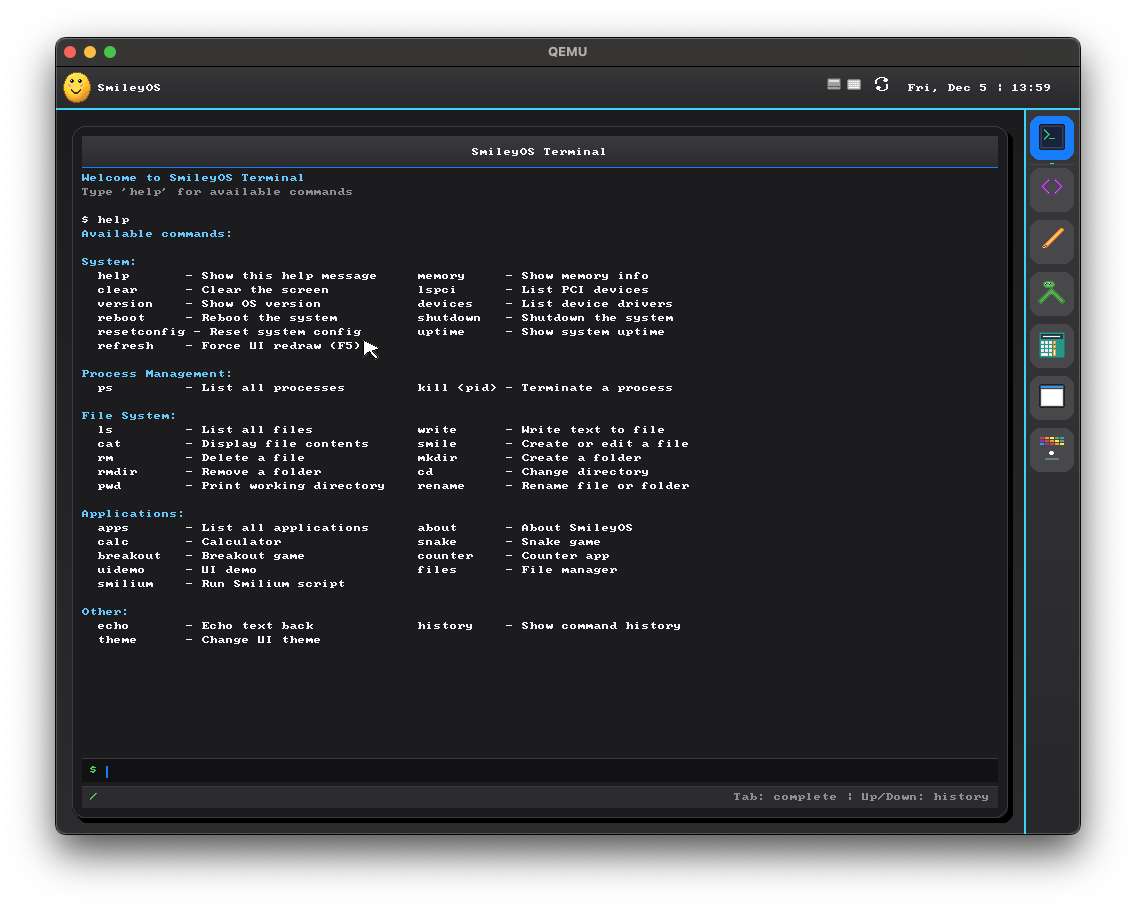
The full ISO runs on a real x86 emulator in a single browser tab. No sign-ups, no installs — click boot and you're at the SmileyOS desktop in seconds.
Heads up — the live demo runs SmileyOS v1.7. The in-browser build is the older 1.7 release. The screenshots throughout this page are from v2.0, the version we're actively working on now.
Runs entirely on your device. Nothing is uploaded. The ISO is ~10 MB plus a 2 MB WebAssembly emulator — after that the OS boots straight onto a virtual 32-bit PC.
Click any screenshot to see it full-size. Every pixel is rendered by the SmileyOS kernel — no host OS, no fall-back to anything else.
Menu bar, dock, windowed apps, Spotlight-style search and an Exposé grid of running apps — everything you'd expect from a desktop OS, rendered by the SmileyOS GUI stack on top of a hand-written kernel.
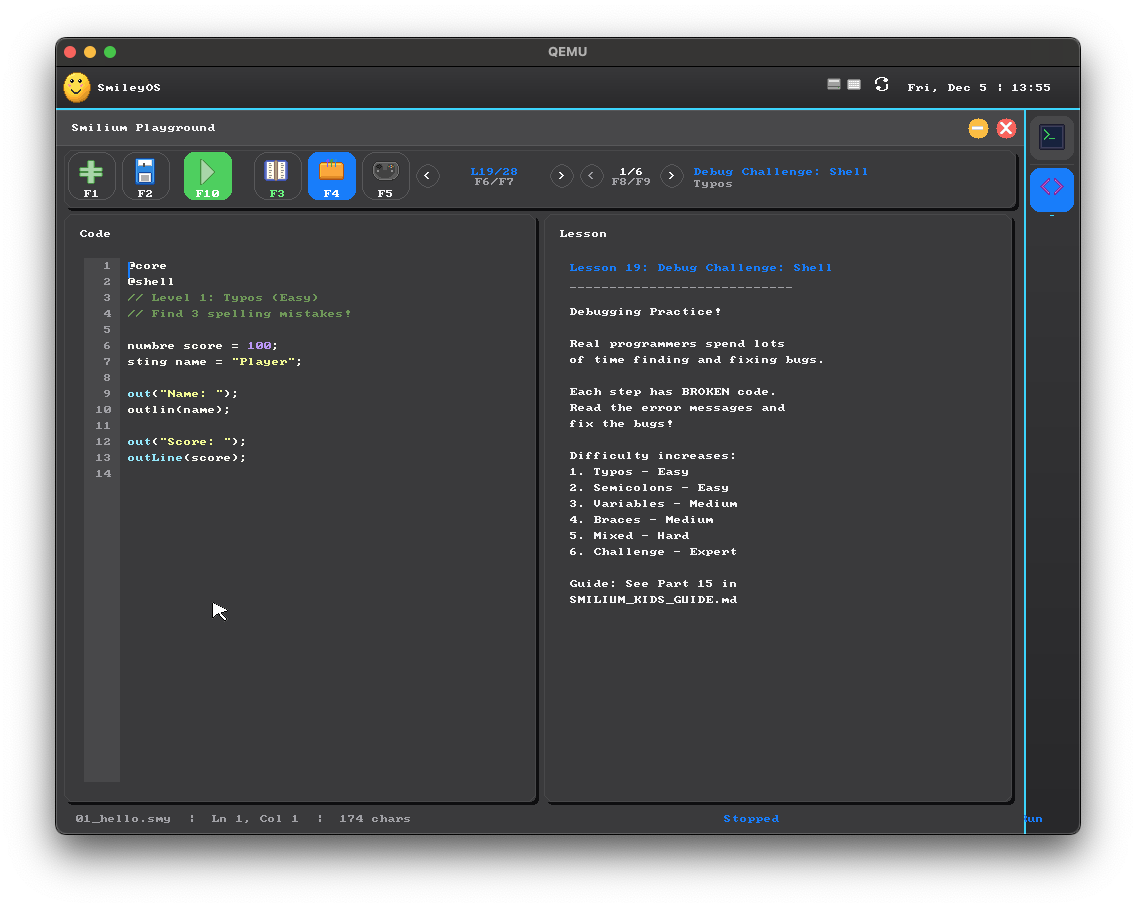
Syntax highlighting, a file browser, guided lessons. Press F5 to run, F4 to drop into the next lesson. Tab completion turns ten keystrokes into one.
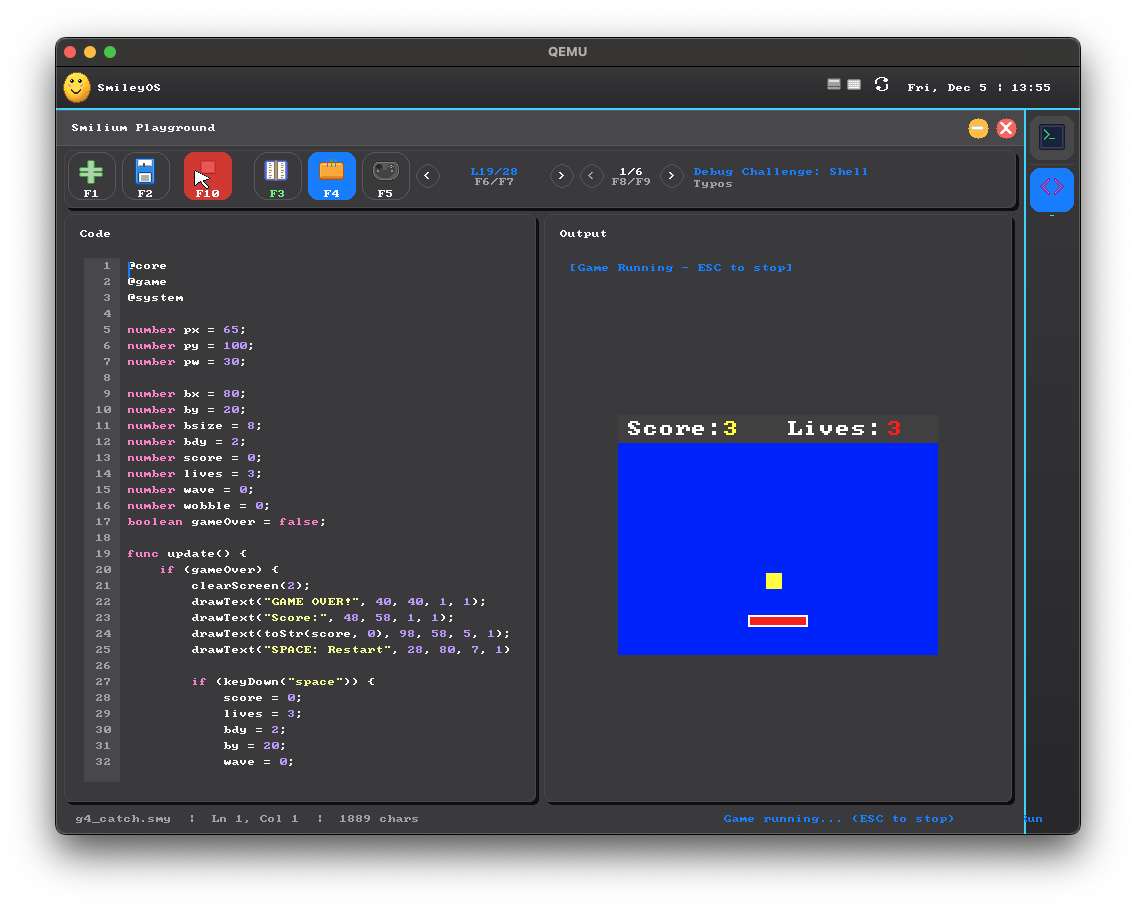
Gamely2D turns SmileyOS into a little game studio — scenes, entities and a Unity-style component library, with Smilium @game scripts underneath. Wire it up, press Play, no toolchain or setup.
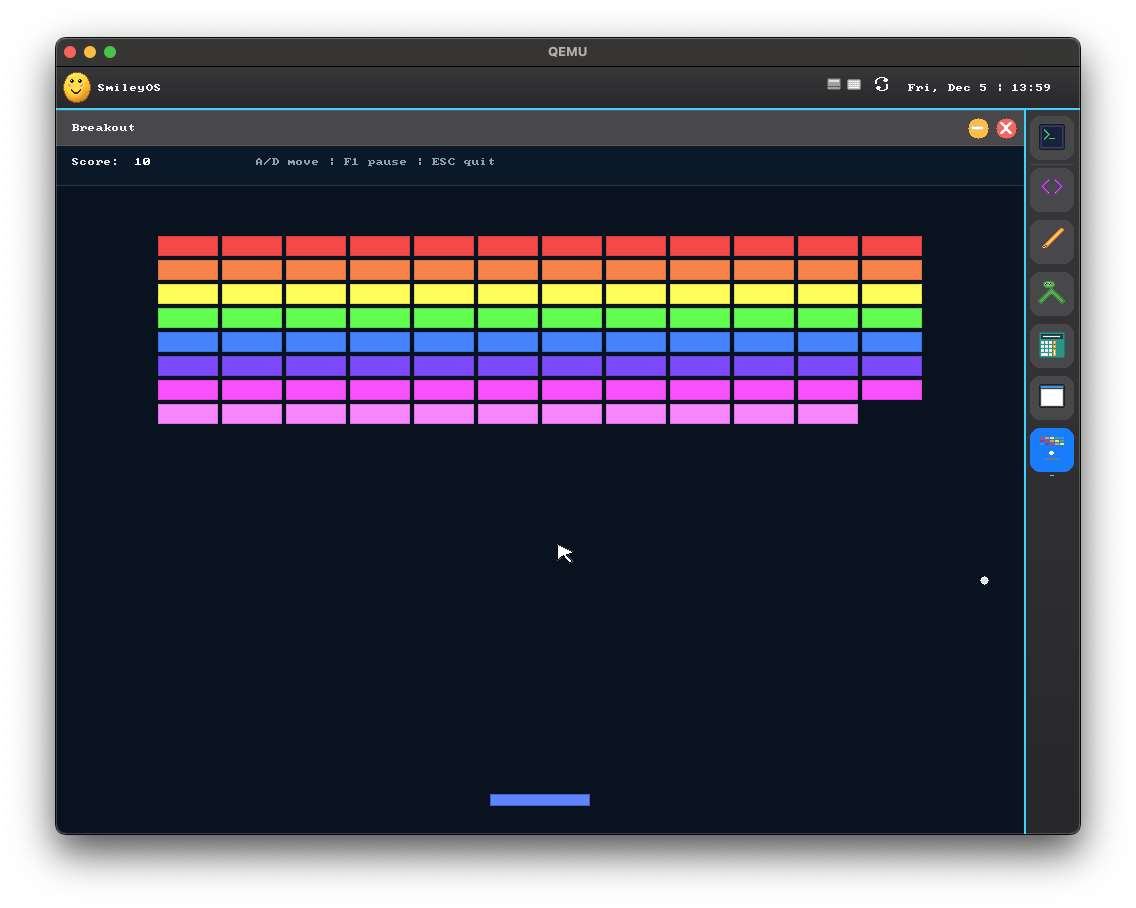
Games ship with the OS, built in Rust and fully playable on bare metal. Some are just for fun and a break — others build real skills, like Type Attack for faster typing and Whack-a-Mole for mouse control.
The same GUI primitives Smilium @ui programs use also power the bundled apps. Columns, Rows, Buttons and TextFields, all running through a real compositor.
Flash the ISO to a USB stick, plug it into a 32-bit machine, and POST → SmileyOS kernel → desktop. No VM layer, no browser tab — just bare metal and a keyboard.
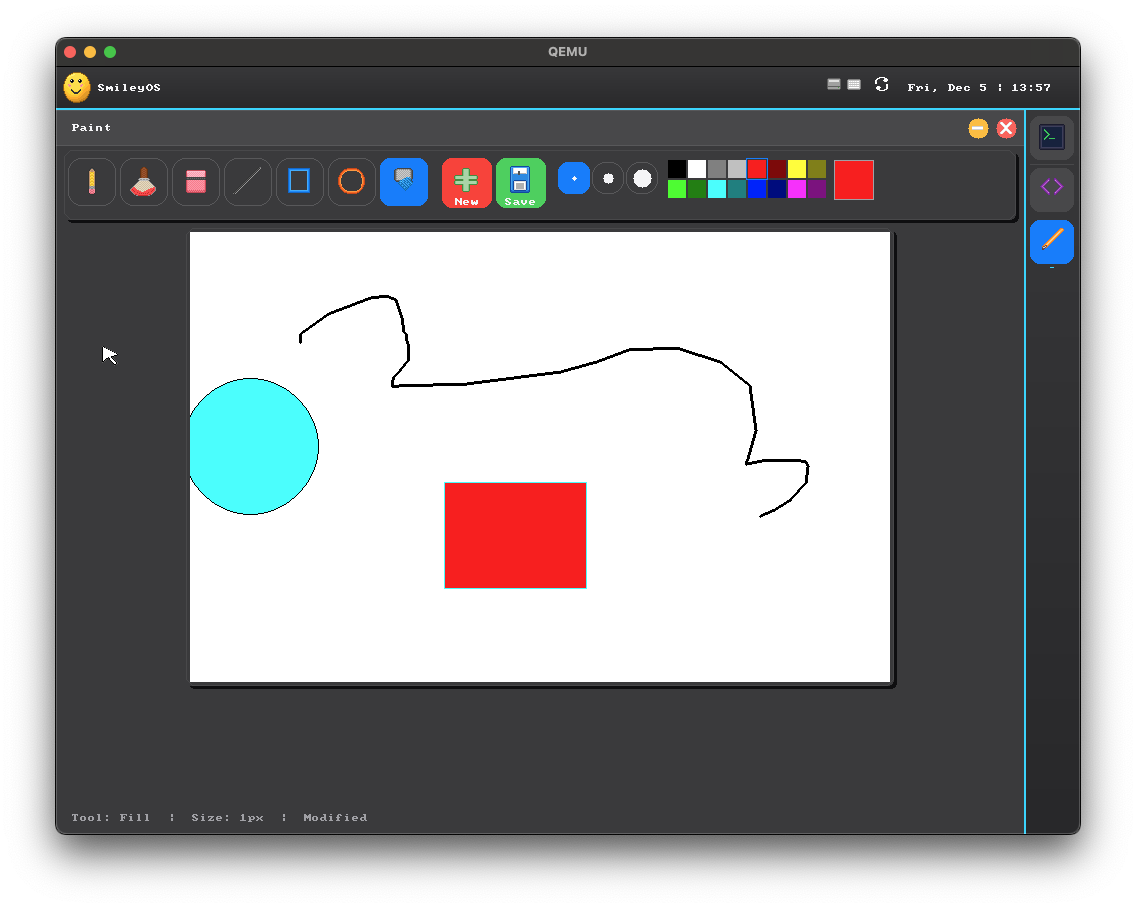
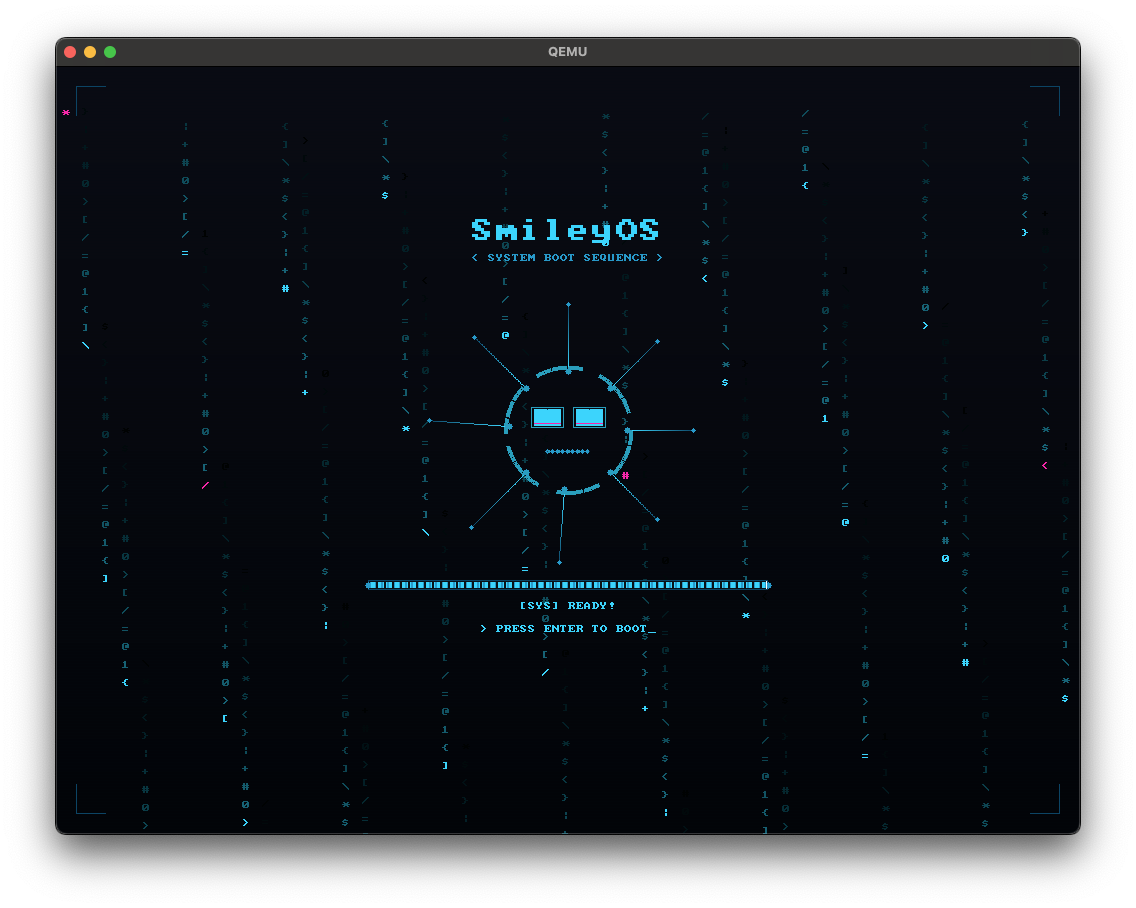
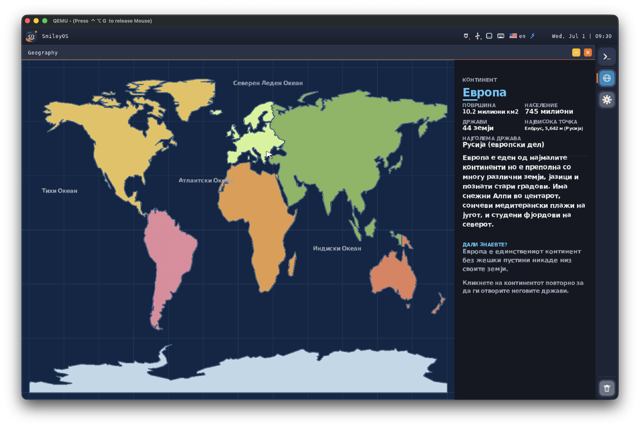
v2.0 isn't just an IDE and a terminal. It ships a small suite of apps — explore the world, tour the solar system, draw, calculate, manage files, and make sprites — all rendered by the same GUI stack.
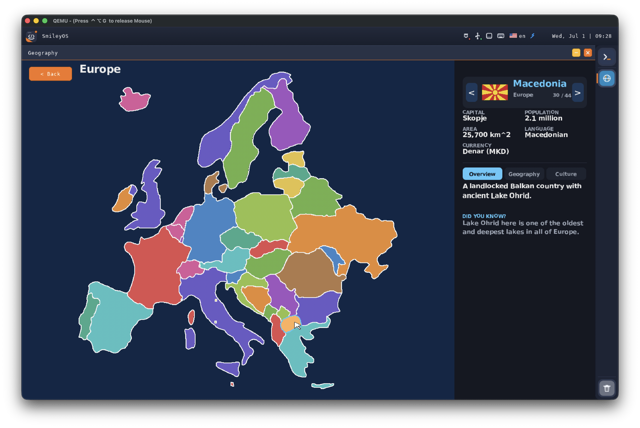
A schematic world map — pan across continents, drill into countries, and learn where things are.
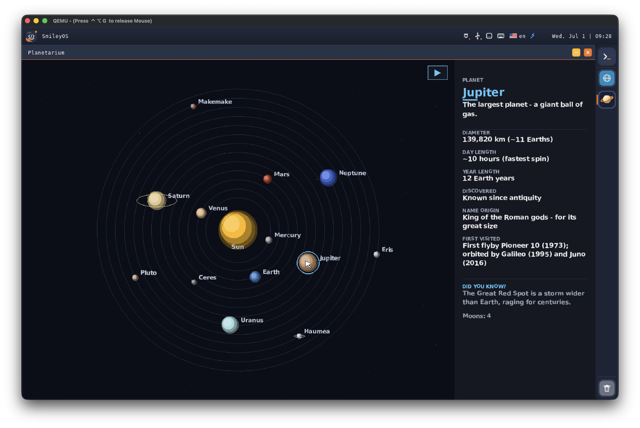
A solar-system orrery — the Sun, eight planets, dwarf planets and moons, each one you can drill into.
Full multi-language support with a built-in language switcher. English and Macedonian ship today, with a Cyrillic font rendered by the OS — and a compile-time schema means no translation can ever go missing. A real differentiator for local classrooms.
SmileyOS is one OS, but it answers three different questions: "how do I get my kid to code?", "how do I teach a classroom?", and "how does an OS actually work?".
Kids, 8–14
From clicking a file to writing a game in a real language — at their own pace, with friendly error messages. No ads, no accounts, no cloud. Offline by default — and machines on the same local network can connect for classroom chat and file sharing.
Parents & teachers
One USB stick, an old PC, a set of companion books, guided in-IDE lessons. No cloud, no trackers — every byte lives on the machine in front of the student.
Curious tinkerers
A platform abstraction layer, drivers, a filesystem, a scheduler, a compositor and a tiny language — all in one small, readable Rust codebase you can fit in your head.
SmileyOS is still offline-first — no cloud, no accounts, nothing phones home. But v2.0 adds a hand-written IPv4 network stack, so every machine on the same local network can find each other. No internet required — but a whole classroom can connect over the LAN.
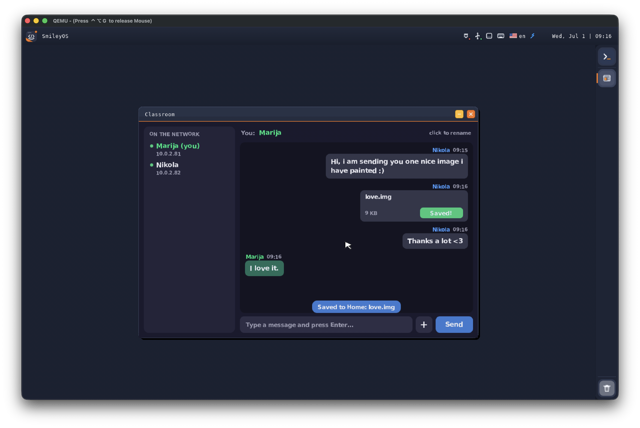
Open Classroom and every SmileyOS computer on the LAN shows up in a peer list. Chat in a shared room and send files straight between machines — no server, no accounts, no internet. Perfect for a computer lab.
Fair question. Linux distros, kid-friendly toys and online editors are all great at one thing. SmileyOS exists for the part they all miss: a quiet, complete machine a child can fully understand.
"Powerful, modern and free. The right answer for grown-up Linux users."
But it can't…
"Beautiful introductions to programming. Great in their own boxes."
But it can't…
"Zero-setup coding on whatever device you happen to have."
But it can't…
SmileyOS is the one OS a kid can read. Hundreds of small source files. One terminal. One IDE. One small language. Everything inside the machine — no cloud, no trackers, nothing they didn't ask for.
Kernel, scheduler, filesystem, drivers, GUI stack and shell — all hand-written in Rust. The terminal below is the same muscle memory real developers use every day on Linux and macOS.
A complete tour of the current SmileyOS 2.0 build — desktop, IDE, Gamely2D, the education apps, LAN networking and Classroom, multi-language support, and more. This is the version we're building now.
SmileyOS flashed onto a USB stick, plugged into a 32-bit machine, POST → kernel → desktop. No host OS underneath, no browser tab — just bare metal, a keyboard, and a smile.
Recorded on an earlier build — v2.0 looks even better. See the full v2.0 demo above.
Watch on YouTubeKernel, HAL, drivers, Smilium interpreter, GUI — all hand-written.
Small, readable files. Open any one and understand it.
A complete userland: files, processes, themes, apps.
An illustrated book series. Every snippet here comes from them.
smiley@me > pwd/home/kiddosmiley@me > lsgames/ snake.smy sprites/ notes.txtsmiley@me > smilium -g snake.smy▸ starting Snake… press ESC to quitsmiley@me > theme listdark · light · blue · purple · greensmiley@me > helpA full userland of commands. Try: apps, playground, theme.smiley@me > Typed into a PS/2 keyboard, parsed by the SmileyOS shell, answered by real kernel syscalls. No cheating, no shelling out — this is the whole userland.
Find your way around.
pwdShow the current folder.lsList files and folders here.cd <dir>Enter a folder.cd ..Go up one folder.Read, write, move, delete.
cat <file>Print a file to the screen.write <f> <text>Write text to a new file.smile <file>Open the built-in editor.cp · mv · rm · renameCopy, move, delete and rename.find <pattern>Search for files by name.chmod -p <name>Change file or folder permissions.Shape your disk.
mkdir <name>Create a new folder.rmdir <name>Delete an empty folder.Real OS, real syscalls.
uptimeHow long SmileyOS has been running.memoryRAM usage snapshot.ps · kill <pid>List and stop running processes.date · timeCurrent date and clock.reboot · shutdownRestart or halt the machine.Launched via apps / smilium, not bare words.
appsOpen the app menu — games, calculator, paint, file manager and more.playground [file.smy]Open the Smilium IDE.smilium -s/-g <file>Run a Smilium shell or game program directly.smilium -g game.smyRun a Smilium game you wrote or an example .smy.Make it yours.
theme <name>Switch the color scheme.theme listSee every available theme.historyReplay your recent commands.resetconfigNuclear reset of all settings.Type help in the booted OS for the live list — it stays in sync with the kernel.
It started as a 32-bit-x86 project — but v2.0 runs across architectures through a hardware abstraction layer. Great for tinkerers: the same small, readable Rust codebase boots on a desk PC or a Raspberry Pi.
Ported through the SmileyOS HAL — one abstraction, several backends.
Smilium programs start with directives — @core is always on, and you pick one of @shell, @game or @ui to say what kind of program you're building.
@core@shell print("Hello, World!");print("Welcome to Smilium!");@core@game func update() { clearScreen(Colors.black); fillRect(70, 50, 20, 20, Colors.yellow);}@core@ui Column main = Column();Button myButton = Button("Click me!");main.add(myButton);Directives, types, control flow, and the keys you'll press in Smilium Playground.
Pick a mode, opt into features.
@coreAlways-on: variables, conditions, loops, functions.@shellText I/O — print, ask, sleep.@gameDraw frames, keyboard, sprites, full 60 fps loop.@uiDeclarative widgets — Columns, Rows, Buttons, TextField.@systemOptional: random, round, clamp, format, time, save/load.Strict typing, friendly errors.
numberWhole or decimal numbers.stringText — with "Hi {name}!" interpolation built in.booleanStrict true / false.number[] / string[]Lists with .sum(), .sort(), .shuffle(), .pick()…structYour own data shapes — saved / loaded as JSON.sprite8×8, 16×16 or 32×32 pixel grid (@game).Familiar C-like syntax.
if / elseBranch — with is, isnt, over, under word operators.repeat(n) { }The simplest loop; while and for when you grow.func name() { }Your own commands — defaults and returns included.x.listen(old, new) { }React whenever a value changes.x.lock() / x.unlock()Freeze a value into a constant.catch(string err) { }The safety net — problems don't stop the program.every(ms) / onKey(k)Timers and key presses, declaratively.exit;End the whole program.Playground does the typing for you.
TabAutocomplete keyword or expand snippet.F5Run or stop your program.Shift + F5Fullscreen game preview.F4Jump into the built-in lessons.Complete Smilium programs — loops, reactive listeners, lock & catch, timers and keys, pixel-art sprites and clickable UI. Paste any of them into Smilium Playground, press F5, and it runs.
@core@shell string name = ask("What's your name? ", false);print("Hi {name}!", Colors.green);print("Nice to meet you.");@core@shell@system number secret = random(1, 10);number guess = 0;while(guess isnt secret) { guess = ask("Guess 1-10: "); if(guess under secret) { print("Higher!"); } if(guess over secret) { print("Lower!"); }}print("You got it!", Colors.green);@core@shell catch(string err){ print("problem: {err}", Colors.red);} number score = 0;score.listen(number old, number new){ print("score: {old} -> {new}");} score = 100;score.lock();score = 5;print("still running!");@core@shell@system number ticks = 0; every(1000){ ticks = ticks + 1; print("tick {ticks}");} onKey(Key k){ if(k == Keys.space){ print("jump!", Colors.green); }}@core@shell@system struct Player { string name; number score; } Player marija = { name: "Marija", score: 61 };Player marin = { name: "Marin", score: 48 };Player[] team = [marija, marin];print("team of {team.length}"); number[] scores = [61, 48, 97];scores.sort();print(scores);print("best: {scores.max()}"); marija.save("marija.json");print("saved!", Colors.green);@core@shell string s = "smilium is fun";print(s.upper());print(s.capitalize());print("=".repeat(20), Colors.blue);print(s.contains("fun"));@core@game number x = 70; number y = 50; func update() { if(keyDown("Left")) x = x - 1; if(keyDown("Right")) x = x + 1; clearScreen(Colors.black); fillRect(x, y, 10, 10, Colors.yellow);}@core@ui number count = 0; Label display = Label("Count: 0");Button plus = Button("+1"); plus.onClick(func() { count = count + 1; display.setText("Count: " + toStr(count));});Every keyword and built-in function is Tab-completable in Smilium Playground. Type fo → Tab and you get a full for loop skeleton. Kids ship more code because they type less of it.
Strict types explained in plain English. Messages like "expected number, got string on line 7" — never a segfault, never a stack trace.
v2.0 adds Gamely2D, a dedicated lightweight 2D game engine. Build .g2d projects with scene files and entities, attach scripts per entity, and press Play. Smilium @game is the scripting layer underneath.
Drop entities into a scene, add components, wire up a script, and hit Play — no toolchain, no setup, all inside SmileyOS. When you want to go deeper, every script is plain Smilium you can read and edit.
A SmileyOS app is one Rust file implementing a small trait, plus one entry in a central registry. The OS handles launching, menus, search, file types and deeplinks for you.
The SDK isn't released yet — the documentation is an early draft shared for feedback, with the SDK itself planned for 2027.
// your app = one trait + one registry entryimpl AppContext for Counter { … } AppInfo { name: "Counter", command: "counter", file_extensions: &[".cnt"], deeplink_schemes: &["count"],} // launching, menus, search → automaticSmileyOS is a one-person project. The companion books and in-IDE lessons are in active development — every code snippet on this page comes straight from the current drafts.
The complete Smilium teacher's guide — directives, syntax rules, every built-in function with examples.
Shell commands, file system, aliases, pipes — the same muscle memory real developers use every day.
From "Hello, World!" to mini calculators and quizzes. Conditions, loops and functions explained story-first.
Draw, animate, collide, and ship a full Snake-clone. Plus 10 complete annotated example games.
Columns, Rows, Buttons and TextFields. Build forms, dynamic lists, and a working TODO app that saves to disk.
Press F4 anywhere in Smilium Playground. Each lesson is a few lines, a run button, and a small challenge.
A bare-metal operating system written from scratch in Rust for 32-bit x86 (i686) machines. It has its own kernel, scheduler, filesystem, drivers, compositor and shell — and it ships with Smilium, a tiny built-in language for shell scripts, 2D games and GUI apps. Boots on real hardware, in QEMU, or in your browser via v86.
Where SmileyOS has been, and where it's going. This is my plan and my wish — I'm a big dreamer, and I believe in this story.
SmileyOS begins as one developer's nights-and-weekends project — a kernel written from scratch.
The pieces come together: kernel, shell, and the first Smilium programs running on bare metal.
Networking and Classroom, Gamely2D, an education-app suite, multi-language support and a refined desktop. The version you see on this page.
Formally registering SmileyTech to put the project on a real footing — books, pilots, and full-time work.
Full-time work on the companion books and curriculum, professionally produced and illustrated.
Launch an educational academy with several courses — one for programming, others for general knowledge like geography, history, chemistry and maths.
The dream: SmileyOS in the public education system — used in every primary school in Macedonia, and hopefully further still.
SmileyOS started as one developer's nights-and-weekends project — and it's growing up. Whether you want to fund the next release, back the mission, or run a pilot with real students, there's a path for you.
We're in the process of formally registering SmileyTech as a company to put SmileyOS on a real footing: professionally produced books, classroom pilots, and full-time work on the kernel and curriculum. If you back EdTech, open source, digital literacy, or reviving old hardware for schools, we'd love to talk.
Community donations let me pay real illustrators and layout designers so the books get professionally produced — and eventually printed for classrooms. Every coffee goes straight into kernel work, Smilium features and new lessons.
SmileyOS is in active development. If you'd like to pilot it with a small group of students — or just watch it grow — reach out and we'll loop you in. No trackers, one USB stick per student.
A formal company is being registered now, and we're looking for funding, grants, and mission-aligned partners to fund professional books, classroom pilots, and full-time development. Grant program, angel, or institution — let's talk.