Parents · Privacy
An operating system for kids that does not track them
No account, no email, no ad profile. What an operating system without data tracking means for children, what SmileyOS keeps on the stick, and exactly what (little) ever leaves the computer.
By Nikola Gjorgiev · · 5 min read · 11 views
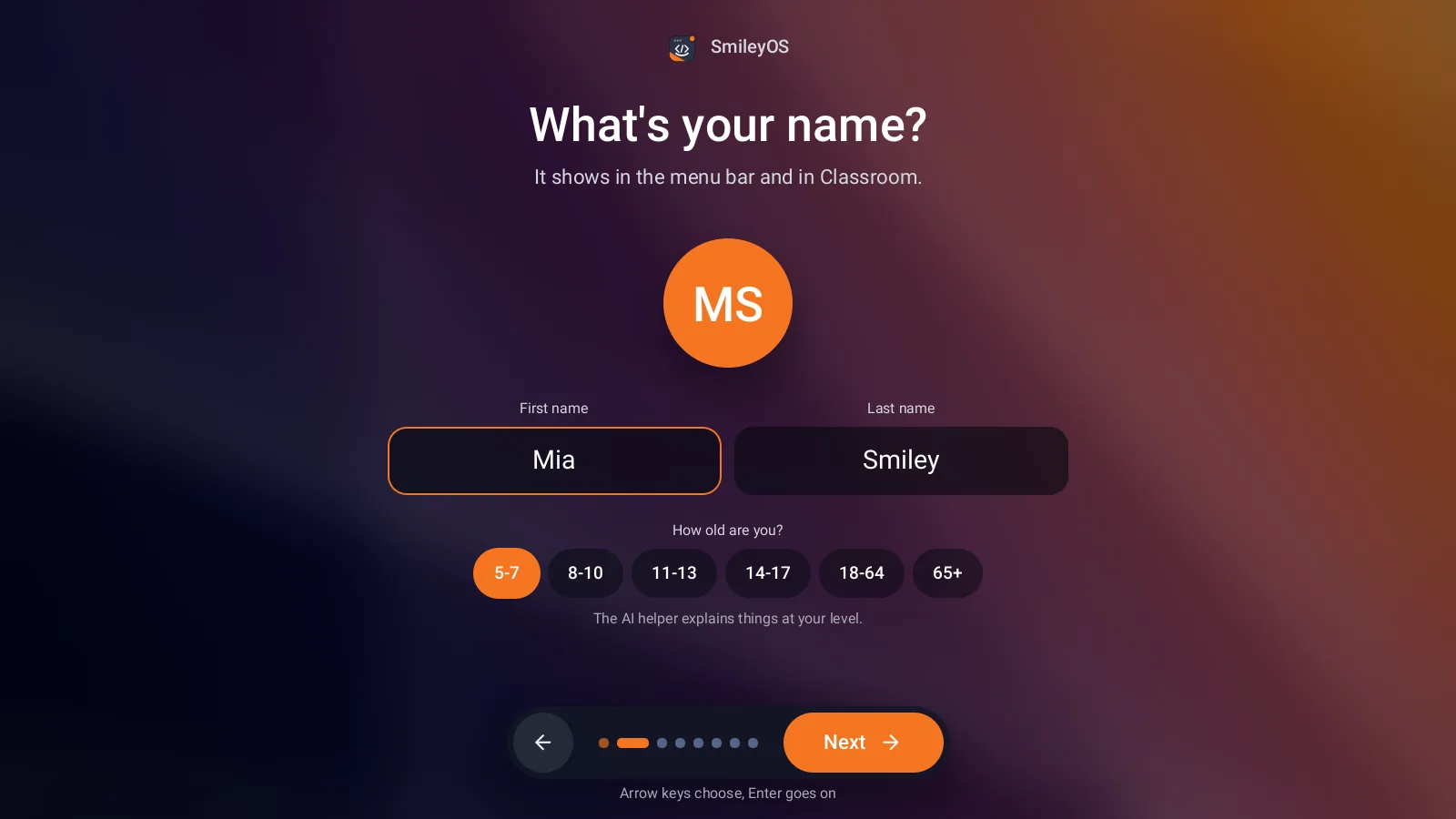
Most systems a child meets today start with an account. An email address, a birth date, a password, then a long list of settings about "personalised experiences". By the time the child draws a first picture, a profile already exists somewhere.
Children cannot judge what they agree to, and parents rarely have time to read it all. The safest data is the data that is never collected.
What "no tracking" should mean
- No account to start using the computer.
- No advertising ID and no ad profile, because there are no ads.
- The child’s files stay with the child, not in someone else’s cloud.
- Nothing leaves the computer silently. If something does, the parent can see what and switch it off.
How SmileyOS starts
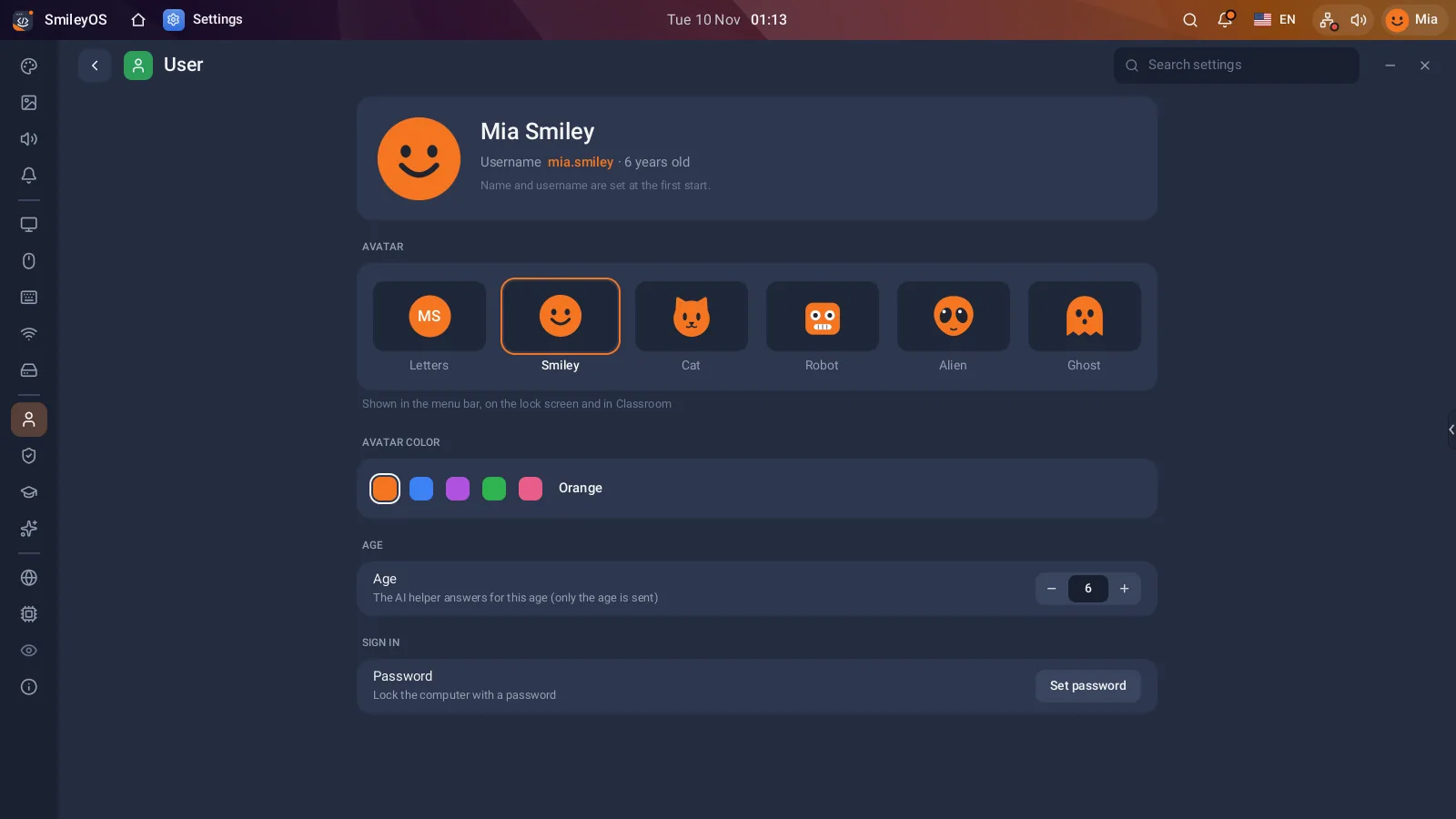
The first start of SmileyOS takes about a minute: language, a first name, an age group, a face, a desktop look, and an optional password. No email, no phone number, no cloud sign-in. The age group is there so the system can talk at the right level, nothing more.
Drawings, stories, programs and game saves are kept on the SmileyOS USB stick. Pull the stick out and the child’s world goes with it; the computer it was plugged into keeps nothing.
Parents decide, on the computer itself
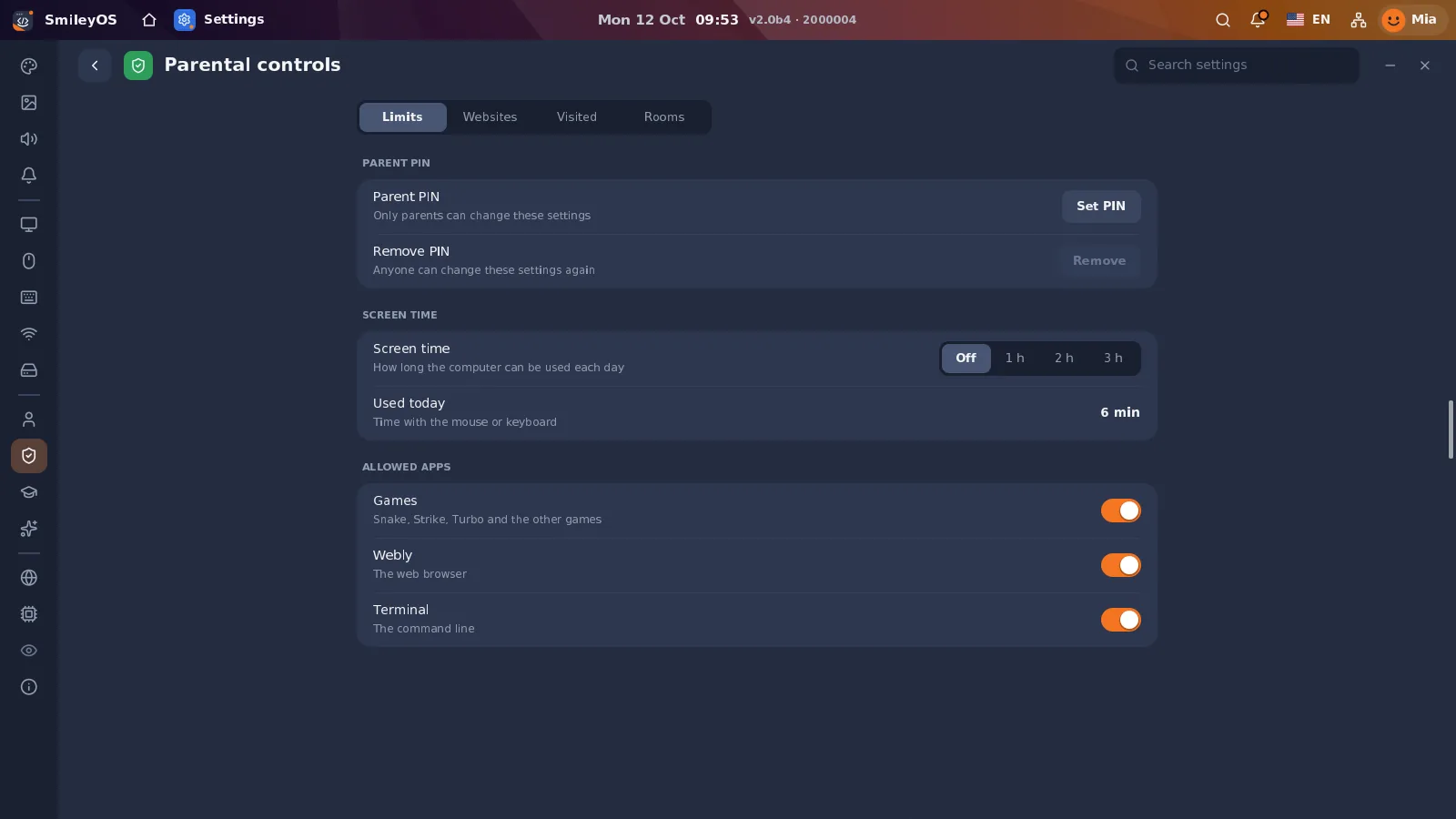
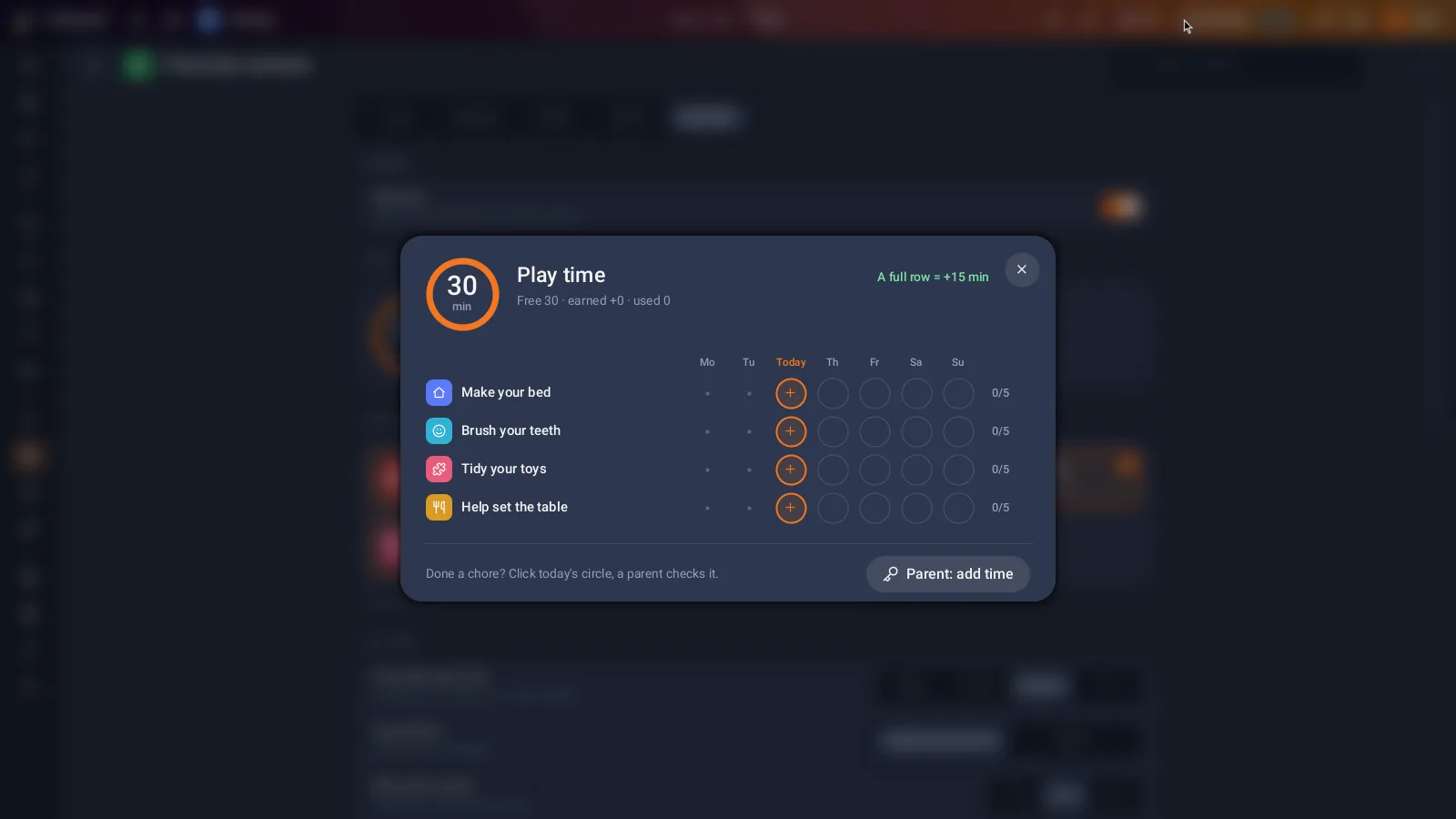
Parental controls are part of the system, not a separate service with its own account. A parent PIN protects them. Behind it: how much screen time a day, which apps may be used (games, the web browser, the Terminal), which websites are allowed or blocked, a list of visited sites for the parent to look at, and a reward system where chores earn play time. All of it is stored on the stick, not on a server.
What does leave the computer, honestly
Most of SmileyOS works without internet at all. When the computer is online, these are the only things that talk to the outside world:
- Web pages the child opens in the browser, Webly, the same as on any computer. Trackers and analytics scripts on those pages are blocked.
- System updates and the App Store ask our server what is new. These checks carry no name and no files.
- A short hardware report (which computer model, which parts work) helps us make SmileyOS run on more old computers. It never contains names, files or messages, and it can be switched off in Settings › About.
- The online class chat works only if a parent allows it. Its messages pass through our server, which hides unkind words and keeps a record for a limited time so reports from parents can be acted on. That is for safety, never for advertising.
Privacy as a habit
A child who grows up on a computer that asks for nothing learns something too: that a name, a birthday and a photo are worth keeping. That is a good first lesson in digital life, and it does not need a single slide about privacy.
Try SmileyOS first
We are getting the first SmileyOS sticks ready for families, schools and learning centres. Sign up for early access and we will let you know as soon as you can try it on your own computer.
Did you like this post?
Share this post
Know a parent, teacher or school that should read this? Send it on.