New project · Boardly
Boardly: your whole Azure DevOps backlog on one canvas
A new free Chrome extension from SmileyTech: Azure DevOps Boards epics, features and backlog items as a connected tree on a zoomable canvas, with filters and private notes.
By Nikola Gjorgiev · · 4 min read · 89 views
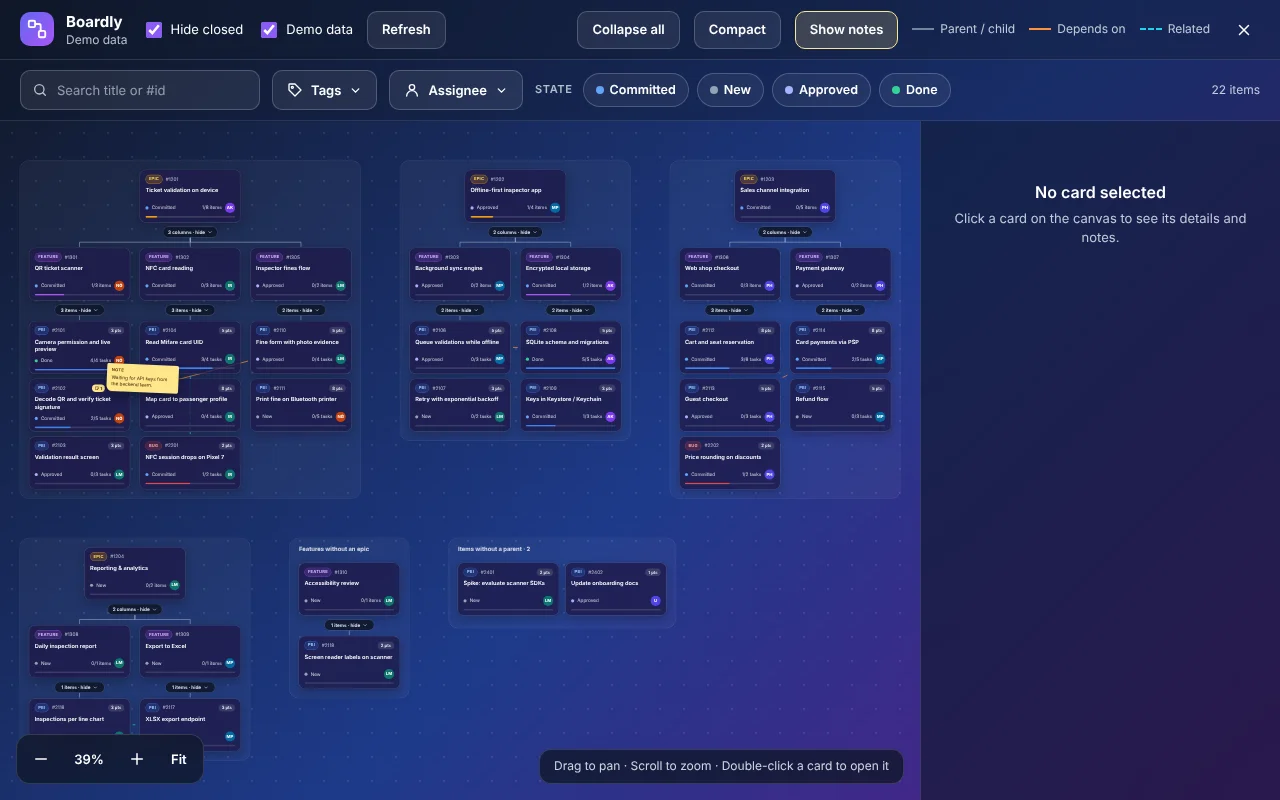
Anyone who has worked with Azure DevOps Boards knows the feeling: hundreds of items in long lists, with epics, features and tasks spread across different screens. The data is all there, but you never see the whole picture. That is why we built Boardly – a free Chrome extension that turns your backlog into a zoomable canvas.
The idea is not entirely mine
Here is one more free thing that can be useful to anyone. To be honest, though, this is not my original idea. A colleague at Abysalto, Bojan Bozhinovski (Bush), built something similar to make his own work easier. It was not a canvas, but a tool for browsing tickets and their parents and children more easily.
I suggested how he could improve it, but since he did not have the time, I decided to build a better version the way I saw it – with a canvas – and offer it to everyone for free. So it is only fair to admit that the idea is not entirely mine: Boardly is an improved version of what Bush made. Kudos to him for the inspiration! I suggested he publish it on the Chrome Web Store, he did not want to, so I decided to do it myself. He probably will not mind :)
Try it
Boardly is free on the Chrome Web Store. If you work with Azure DevOps every day, try it at your next sprint planning and tell us what is missing.
What Boardly does
Open any Boards, Backlogs or Sprints page in Azure DevOps and click the Boardly button. Each epic sits on top, its features in a row below, and their backlog items, user stories and bugs underneath. Arrows show parent/child links, dependencies (predecessor/successor) and related items.
- Infinite canvas: drag to pan, scroll to zoom, "Fit" to see everything at once
- Collapse and expand any epic or feature, or everything with one click
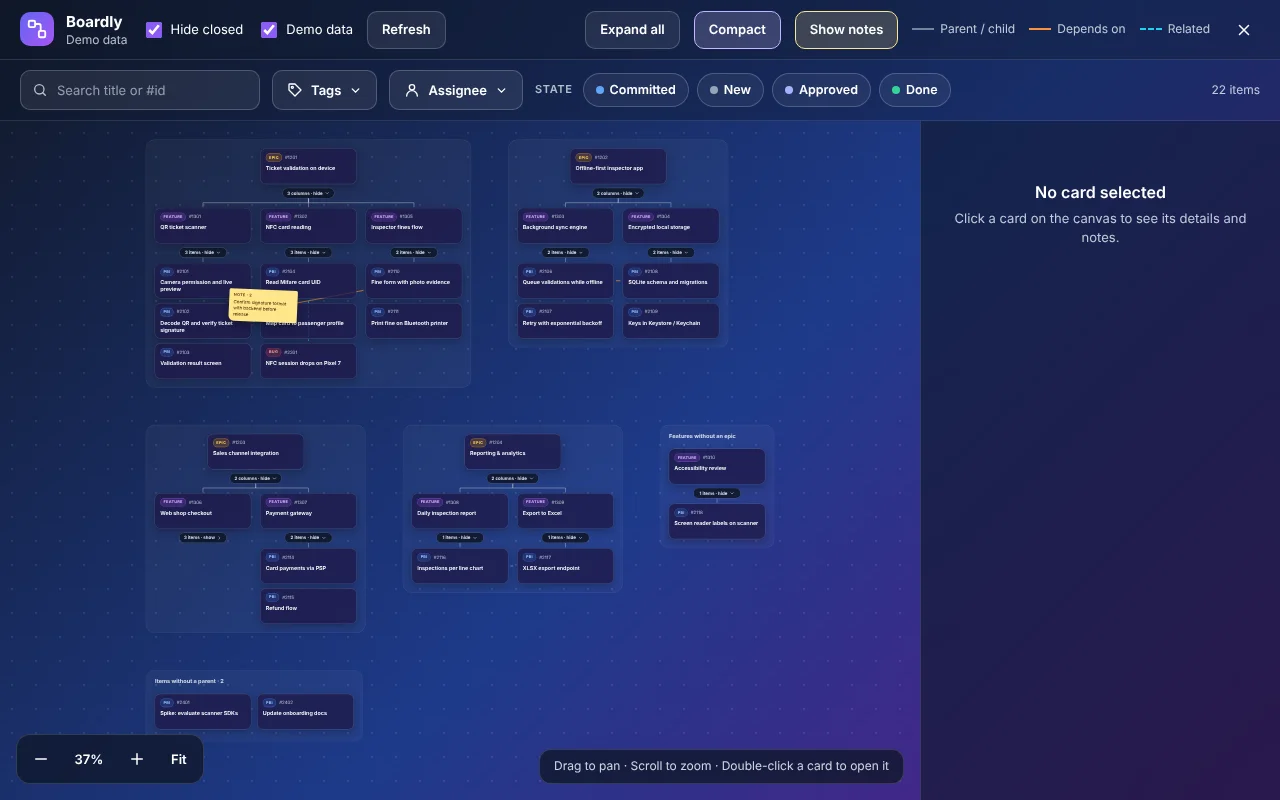
- Compact mode for large backlogs
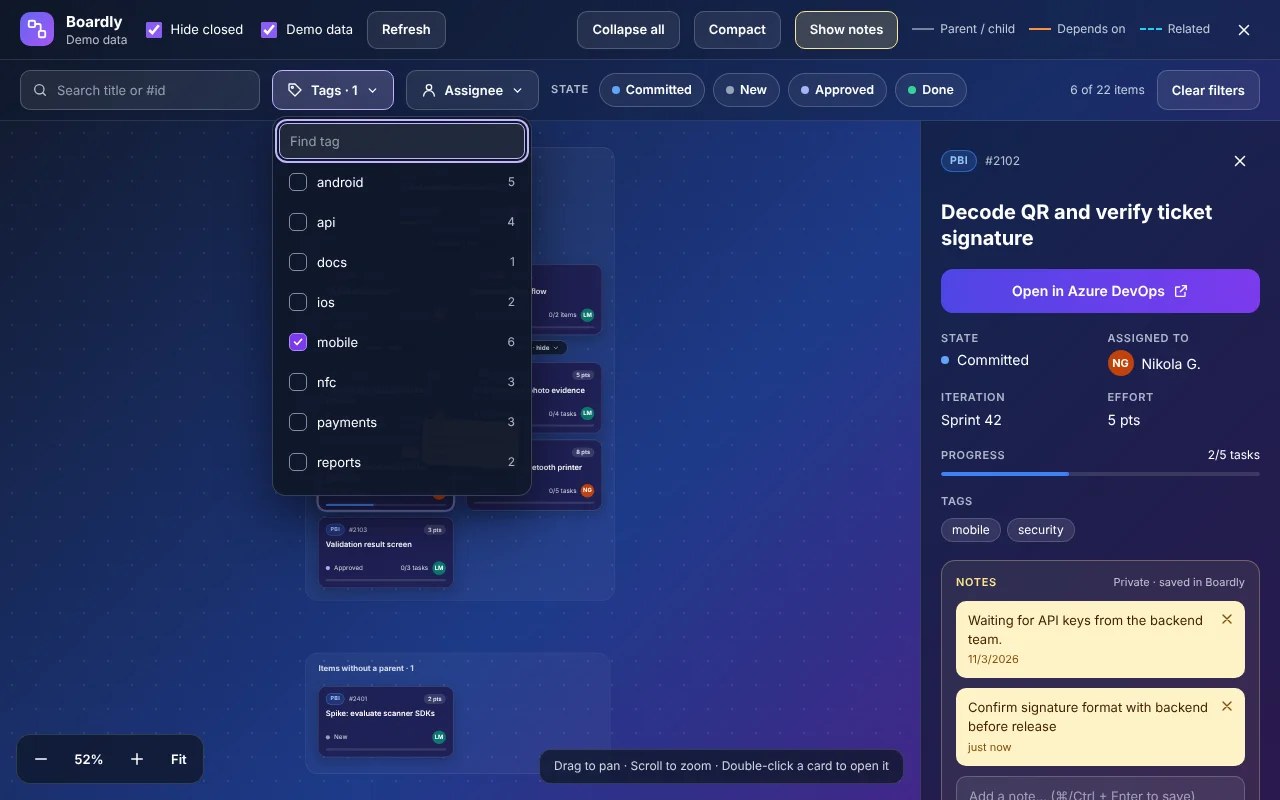
- Filters by title or ID, tags, assignees and state – parents stay visible for context
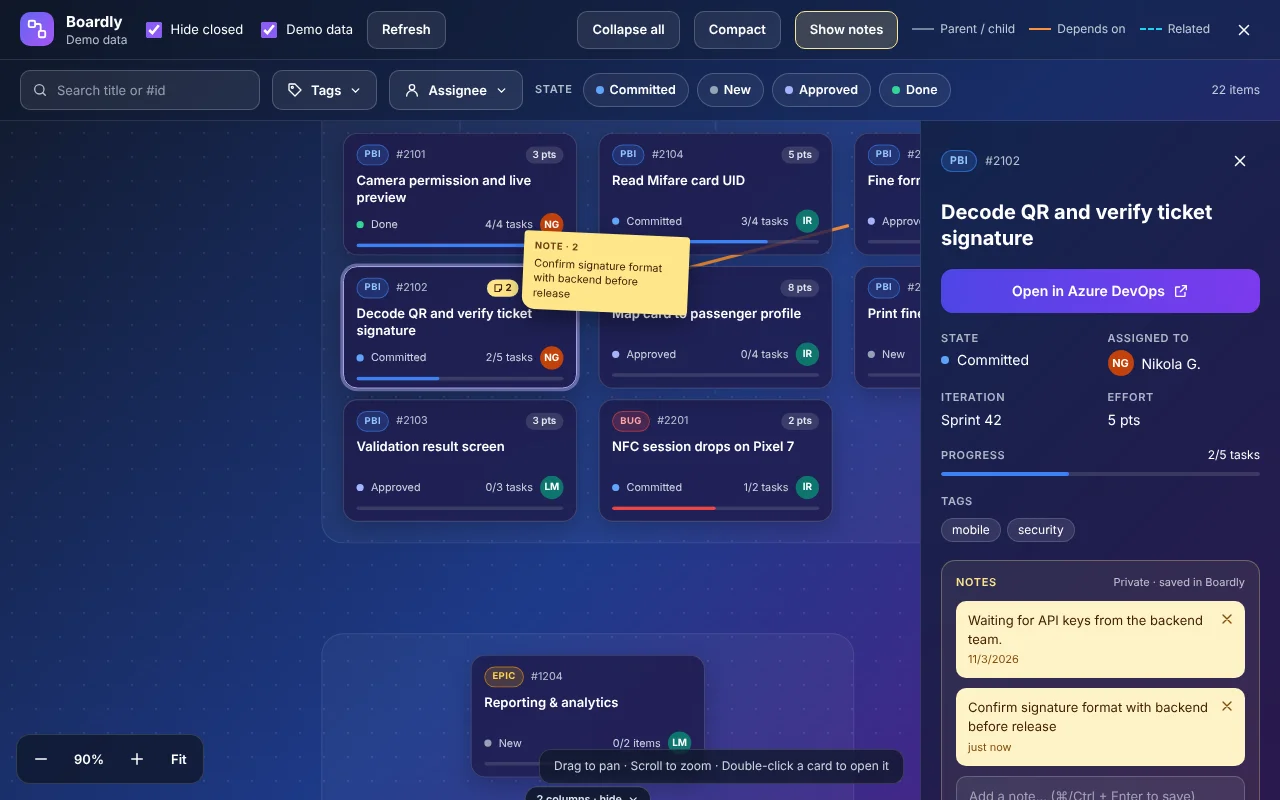
- Details panel: state, assignee, iteration, effort, progress, tags, description and links
- Double-click a card to open the real work item in Azure DevOps
Private notes
Sometimes you want to jot down something short about a task – "waiting for API keys", "confirm with backend" – without filling the ticket with comments that are not meant for the whole team. In Boardly you can add a note to any card. It shows up as a yellow badge and, if you like, as a sticky note right on the canvas. Notes stay only in your browser and are never written to Azure DevOps.
No token, no server
Boardly uses the Azure DevOps session you are already signed in with. No personal access token, no account, no setup. Work items load straight from your organization into your browser and are never sent anywhere else. No analytics, no tracking, no external servers. Notes and preferences are stored locally in Chrome storage.
Technically, the extension is small on purpose: Manifest V3, plain JavaScript with no build step, and a UI inside Shadow DOM so it never clashes with the Azure DevOps styles. The whole package is about 35 KB.
It works with dev.azure.com and *.visualstudio.com organizations and with the Agile, Scrum, Basic and CMMI processes. There is also a "Demo data" mode so you can try it without real data.
Boardly is an independent tool and is not affiliated with, endorsed or sponsored by Microsoft. Azure DevOps is a trademark of Microsoft Corporation.
Did you like this post?
Share this post
Know a parent, teacher or school that should read this? Send it on.