Schools · Offline lab
Offline school computers that really teach
A school computer lab does not need fast internet to teach. What an offline classroom needs, and how SmileyOS gives it: a class chat and quizzes over the school network, lessons in history, space and coding, all on old computers.
By Nikola Gjorgiev · · 6 min read · 6 views
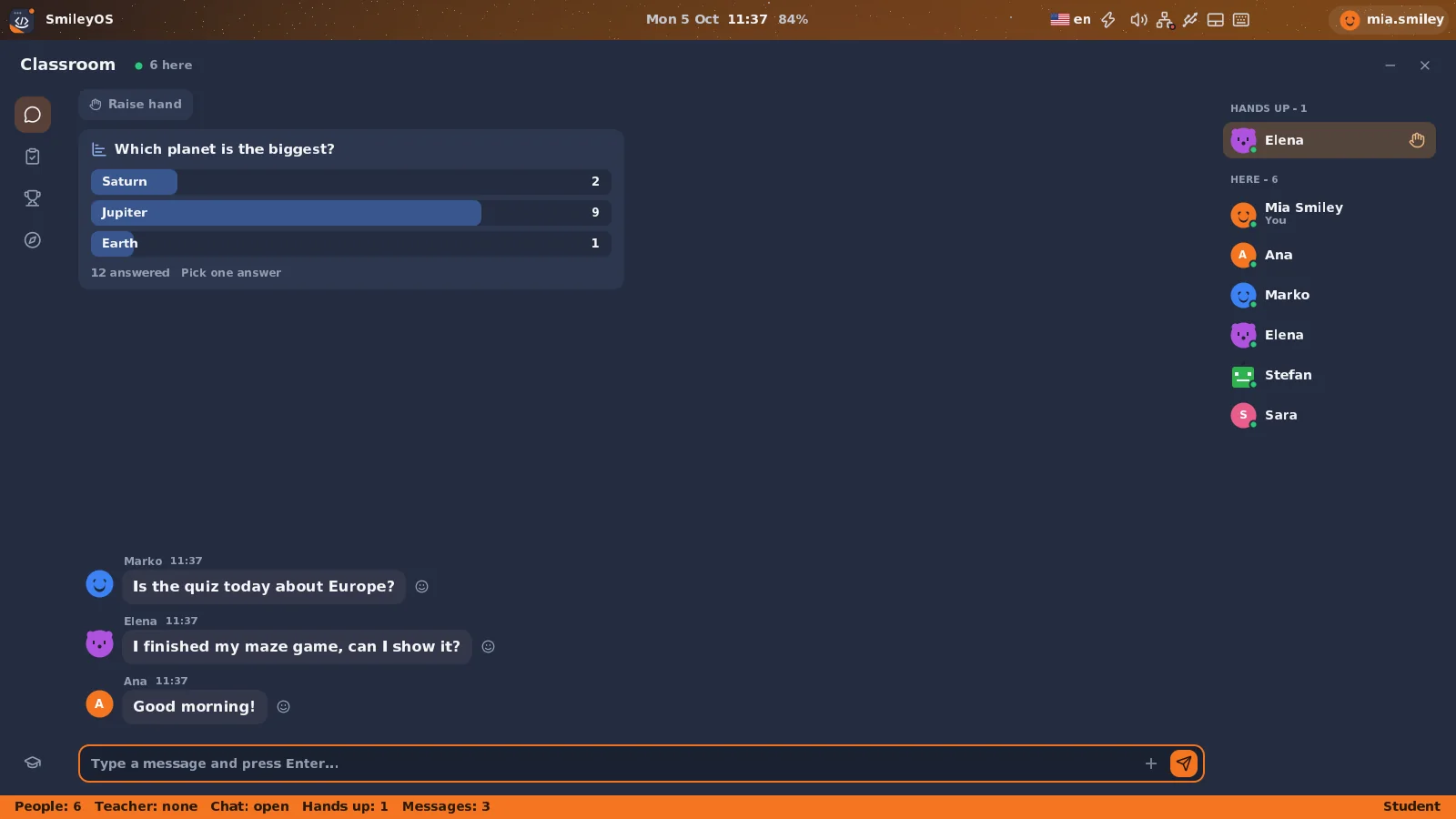
Many school labs are built around one assumption: the internet works. When it does not (a slow line, thirty pupils on one connection, a filter that blocks half the web), the lesson turns into waiting.
A good school computer teaches even when the internet is down. The tools, the lessons and the pupils’ work are on the computer itself, and the classroom still works together over the school network.
What an offline lab needs
- Tools that run locally: writing, tables, drawing, maths, coding.
- Real content inside them, not just empty programs: lessons, examples, templates.
- A way for the class to work together without a cloud service: chat, quizzes, a raised hand.
- The pupil’s work saved where the pupil is, not lost when the machine is reset.
- Hardware the school already has.
The class, connected without the internet
In SmileyOS the Classroom app finds the other computers on the school network by itself. Pupils chat, react and raise a hand; the teacher runs a quiz or a quick poll, sees the answers come in, pauses the chat when it gets noisy and lowers hands. None of it needs the internet: it all travels over the local network, cable or Wi-Fi.
The teacher’s tools are protected by the computer’s PIN, so a pupil cannot make themselves the teacher.
Lessons that live on the computer
SmileyOS comes with apps that are lessons in themselves:
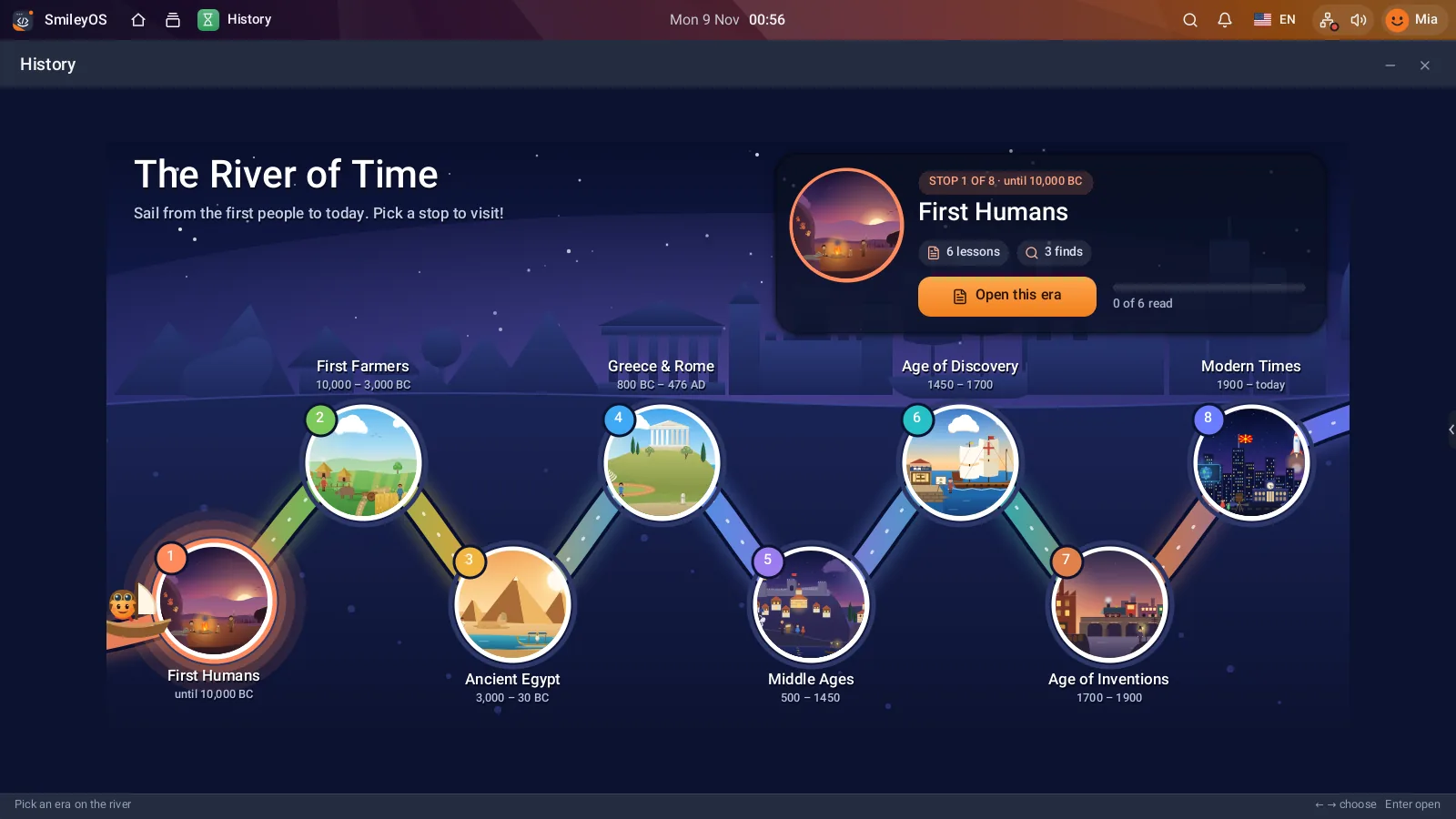
- History: the River of Time, from the first people to modern times, as an open book with pictures and words to know.
- Cosmos: the solar system, stars, galaxies, and the Earth with every country and its flag.
- Zoo: dinosaurs and today’s animals on ten islands, with sizes, sounds and facts.
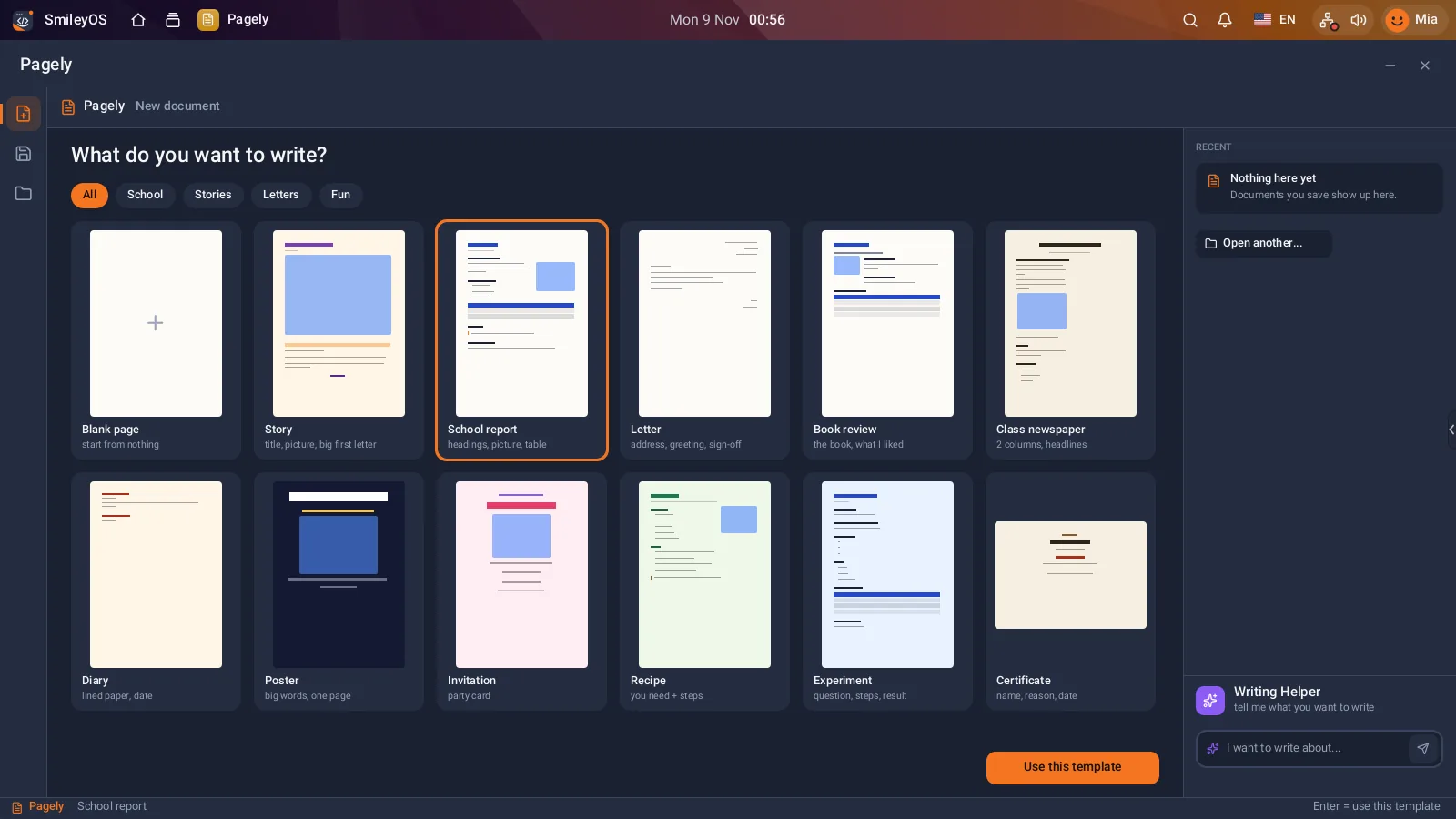
- Pagely and Sheetly: a school report, a class newspaper or a table of class scores, from ready templates.
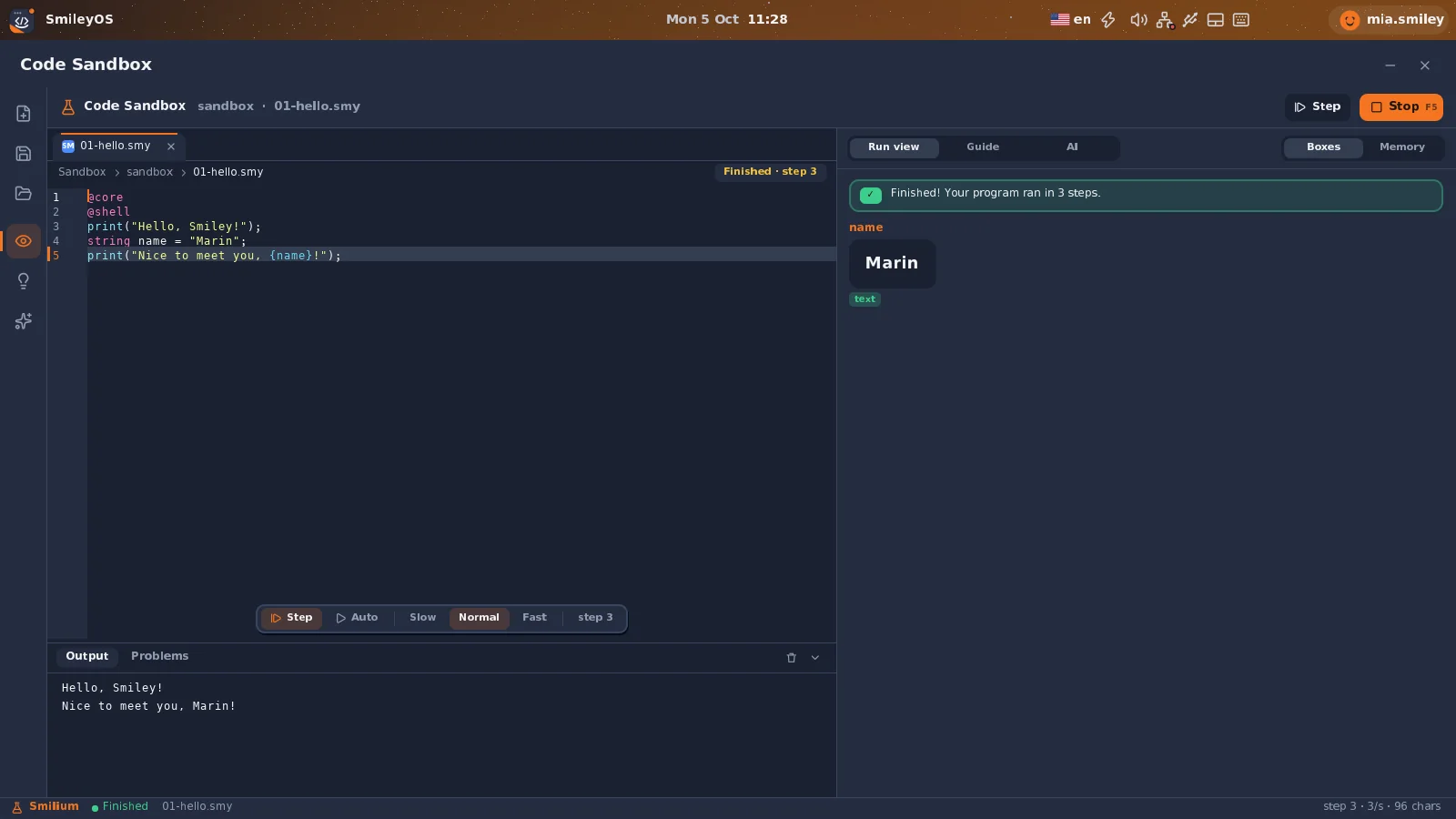
- Code Sandbox: 31 Smilium examples, run step by step.
Each pupil’s work on their own stick
SmileyOS starts from a USB stick and keeps everything the pupil makes on it. A pupil can sit at a different computer next week and find their files waiting. The school’s old computers become the lab (see less e-waste in schools), and nothing on their disks is erased.
Internet as an extra, not a condition
When the internet is there, SmileyOS can use it: the Webly browser with sites a teacher or parent allows, online class rooms, updates. When it is not there, the lab keeps teaching. That is the difference between a computer that needs the internet and a computer that is better with it.
Try SmileyOS first
We are getting the first SmileyOS sticks ready for families, schools and learning centres. Sign up for early access and we will let you know as soon as you can try it on your own computer.
Did you like this post?
Share this post
Know a parent, teacher or school that should read this? Send it on.