Learning · Offline apps
Offline educational apps that teach without internet
How to choose educational apps that work without internet, ads or accounts, and a tour of the offline learning apps in SmileyOS by age: Kidly, Zoo, Cosmos, History, Pagely, the Calculator and the Code Sandbox.
By Nikola Gjorgiev · · 6 min read · 9 views
"Educational" is the most overused word in app stores. Many learning apps need a fast connection, an account, a subscription or the patience to sit through ads. Take the internet away and most of them show a spinning circle.
Five questions before you choose
- Does it work with Wi-Fi switched off? Try it. Many "offline" apps only keep the menu offline.
- Is there real content inside, or just a frame for content you have to download?
- Ads, purchases, accounts? Each one is a distraction, and each one is a door for data to leave.
- Does it grow with the child? A good app has levels, or leads to the next app.
- Does it run on the computer you have?
Below is how we answered those questions in SmileyOS. Every app in this tour is built into the system and works without the internet, on old computers, from a USB stick.
Ages 5 and 6: Kidly
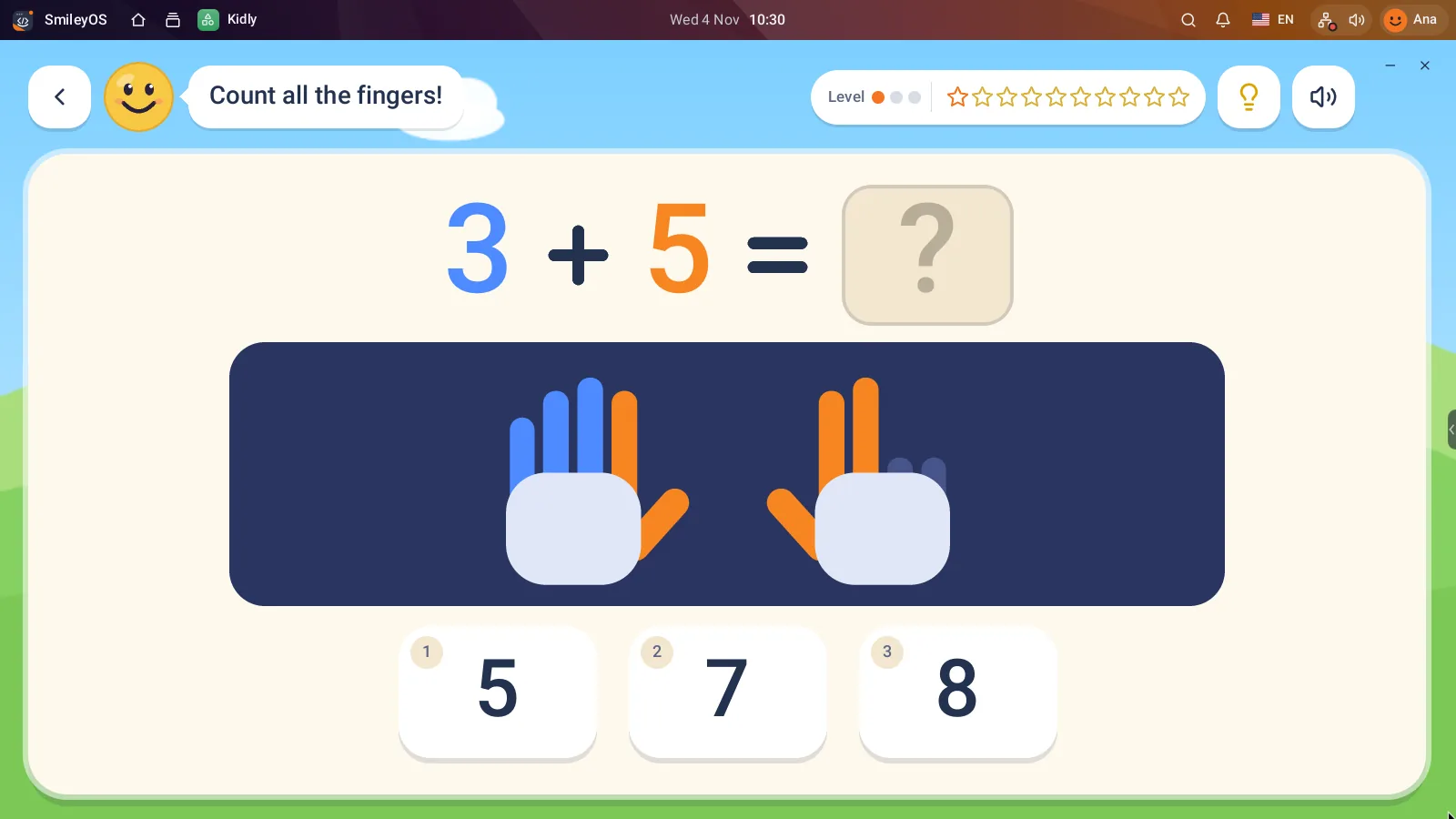
An island of eight worlds: maths, letters, animals, dinosaurs, shapes, space, flags and logic. Children count fingers and apples, sort, find what is missing and steer a little robot. Stars and stickers instead of ads. Kidly is also on iPad, iPhone and Android.
Ages 7 to 12: explore the world
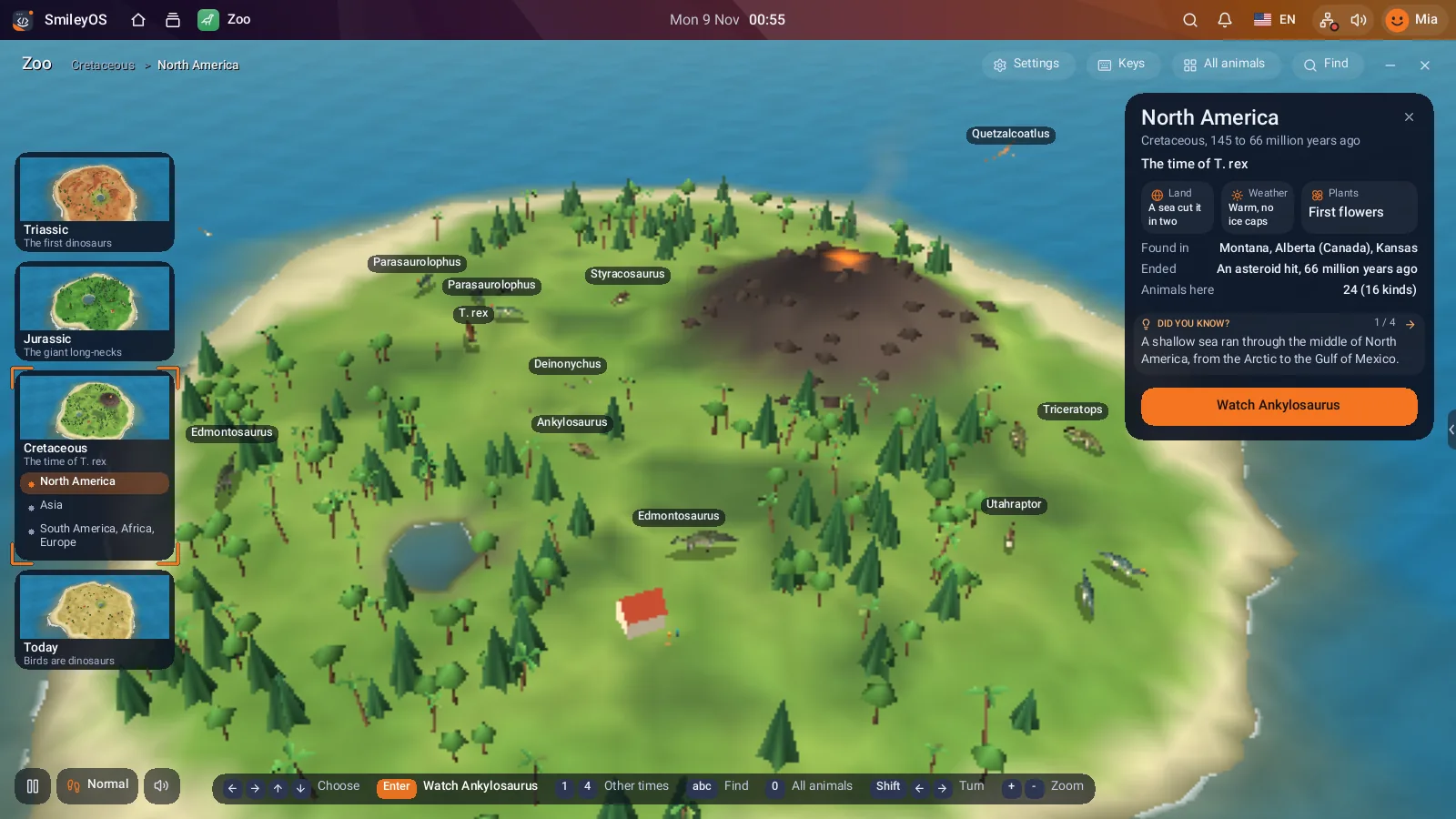
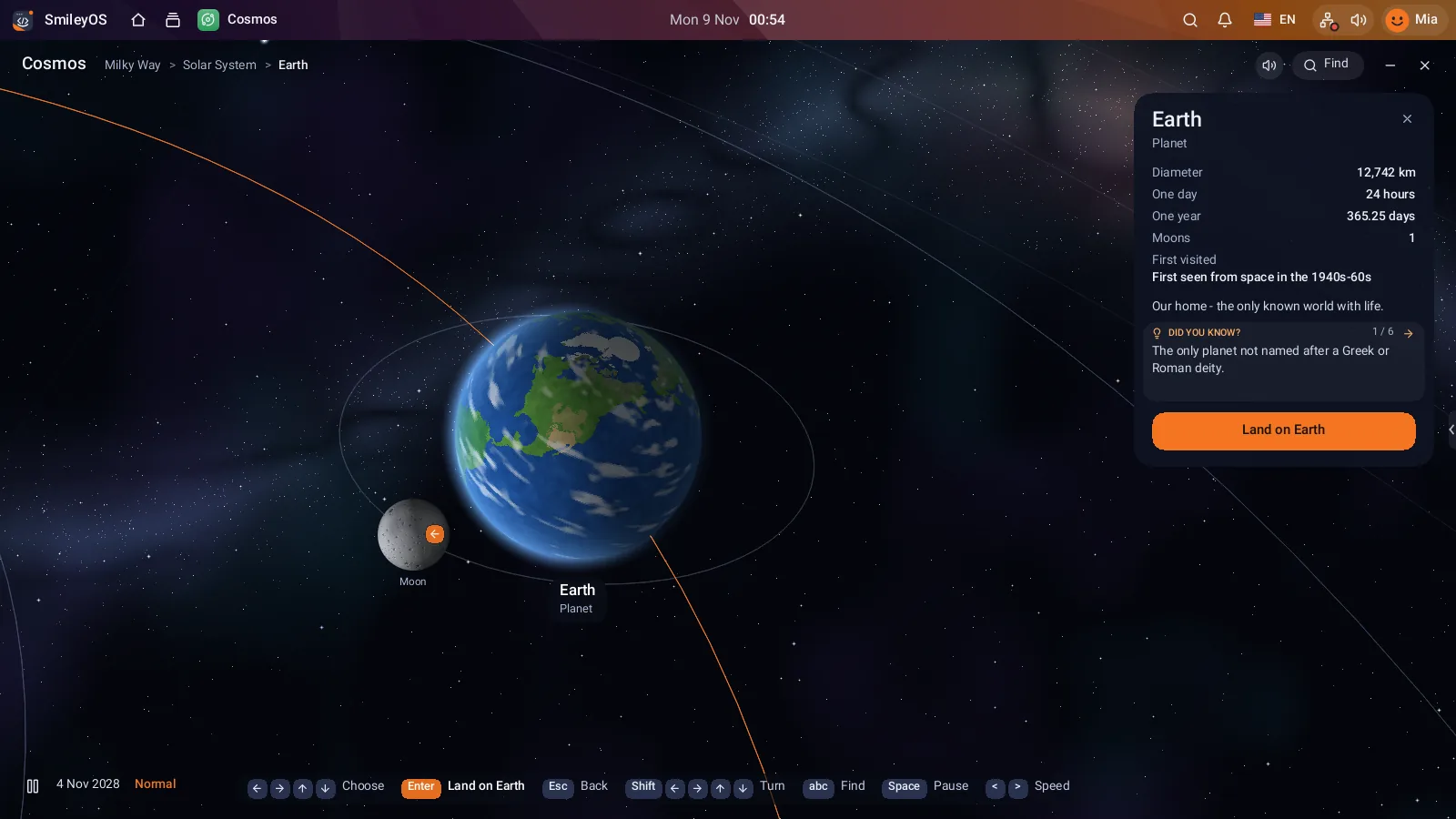
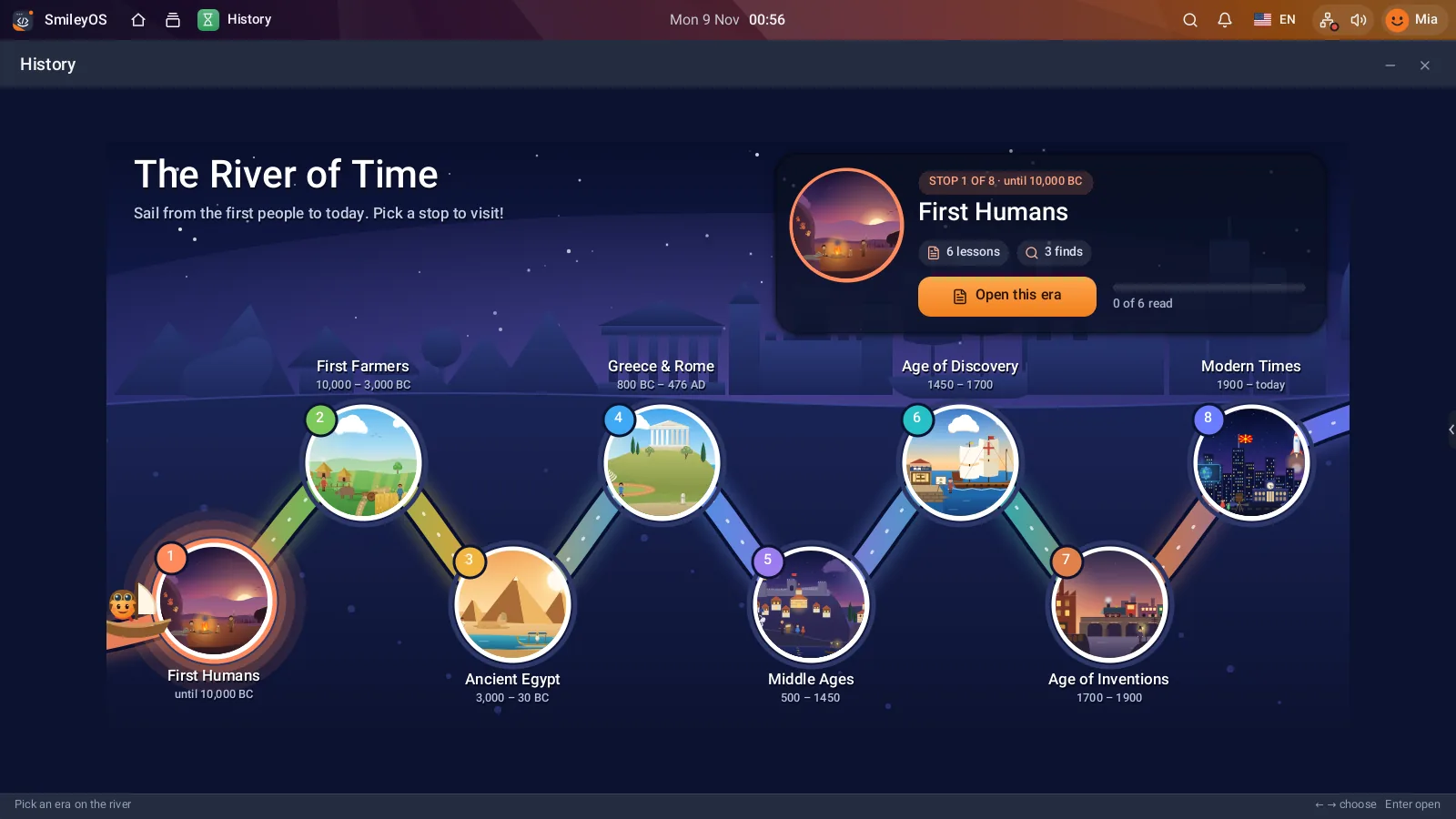
Zoo has 91 animals, from Triassic dinosaurs to today’s penguins, on ten islands you fly over in 3D. Each animal has its real size next to a child, a bus or a house, its sound, and a collectible card with facts. Cosmos starts at a star map, flies to the planets of our solar system and down to the Earth, where every country has its flag and facts. History is the River of Time: stops from the first people to modern times, each one an illustrated book.
Ages 9 and up: make things
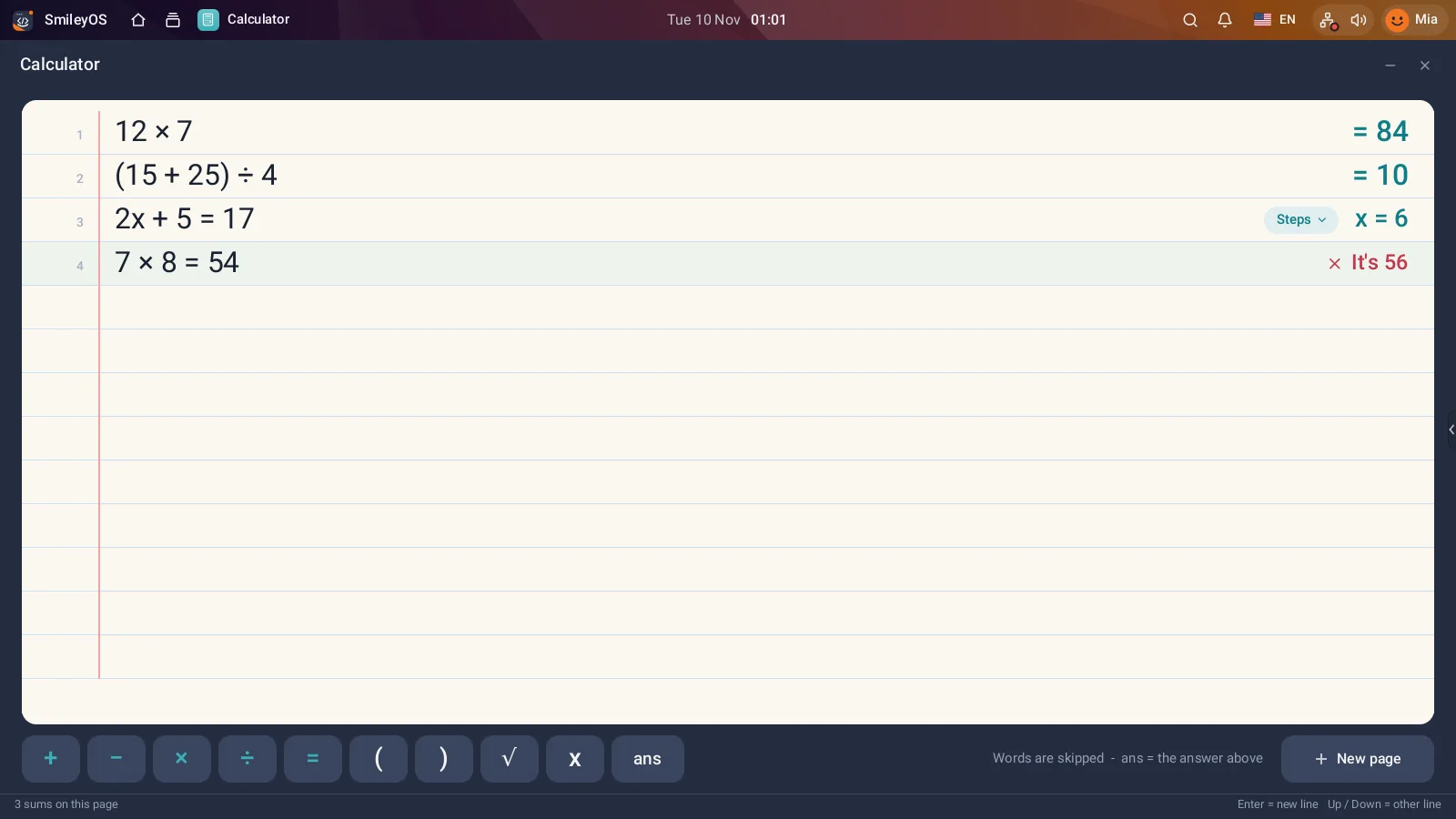
Learning sticks best when children make something with it. Pagely has templates for a school report, a book review, a class newspaper or a poster. Sheetly keeps tables like pocket money or a reading log. The Calculator is a lined page where every sum stays visible, and it can explain equations step by step (it even says "It’s 56" when a child writes 7 × 8 = 54). Sketchly and Beatly are for drawing and music.
Ages 10 and up: code
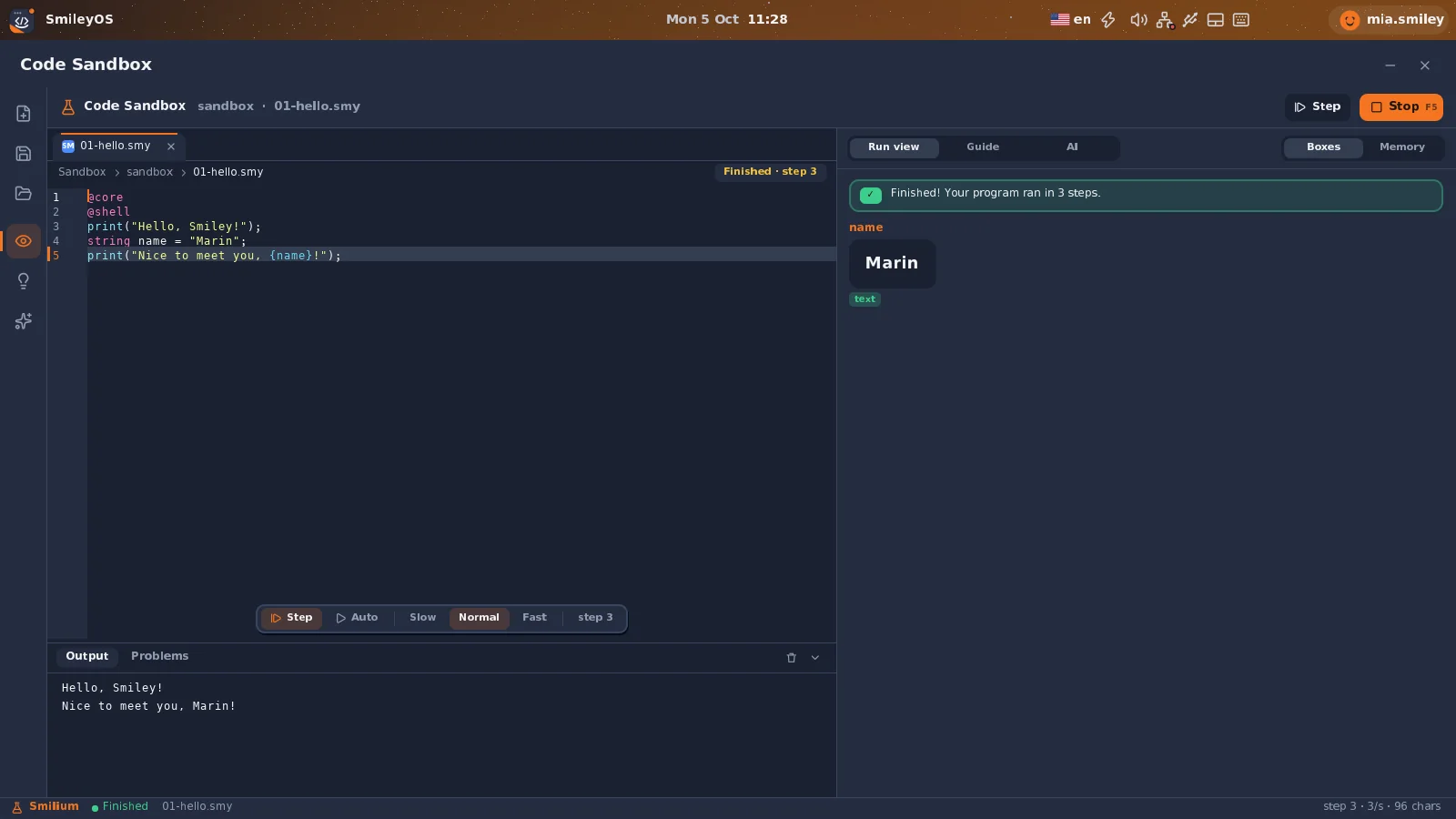
The Terminal (see 12 Terminal commands), the Code Sandbox with 31 examples, and the Smilium IDE for apps with buttons. All in Smilium, a language made for kids, with mistakes explained in English, Macedonian or Albanian.
And what needs the internet?
A few things, and it is better to say so: the Webly browser, Maps, YouTube in Watchly, the App Store and the online class rooms. Everything above keeps working when the router is off. That is the point of an offline learning app: the lesson does not depend on the connection.
Try SmileyOS first
We are getting the first SmileyOS sticks ready for families, schools and learning centres. Sign up for early access and we will let you know as soon as you can try it on your own computer.
Did you like this post?
Share this post
Know a parent, teacher or school that should read this? Send it on.