Coding · First language
Which programming language should a beginner start with?
Scratch, Python, JavaScript or a language made for kids? How to choose a first programming language by age and goal, and how Smilium in SmileyOS takes a child from the first line to apps and games.
By Nikola Gjorgiev · · 6 min read · 9 views
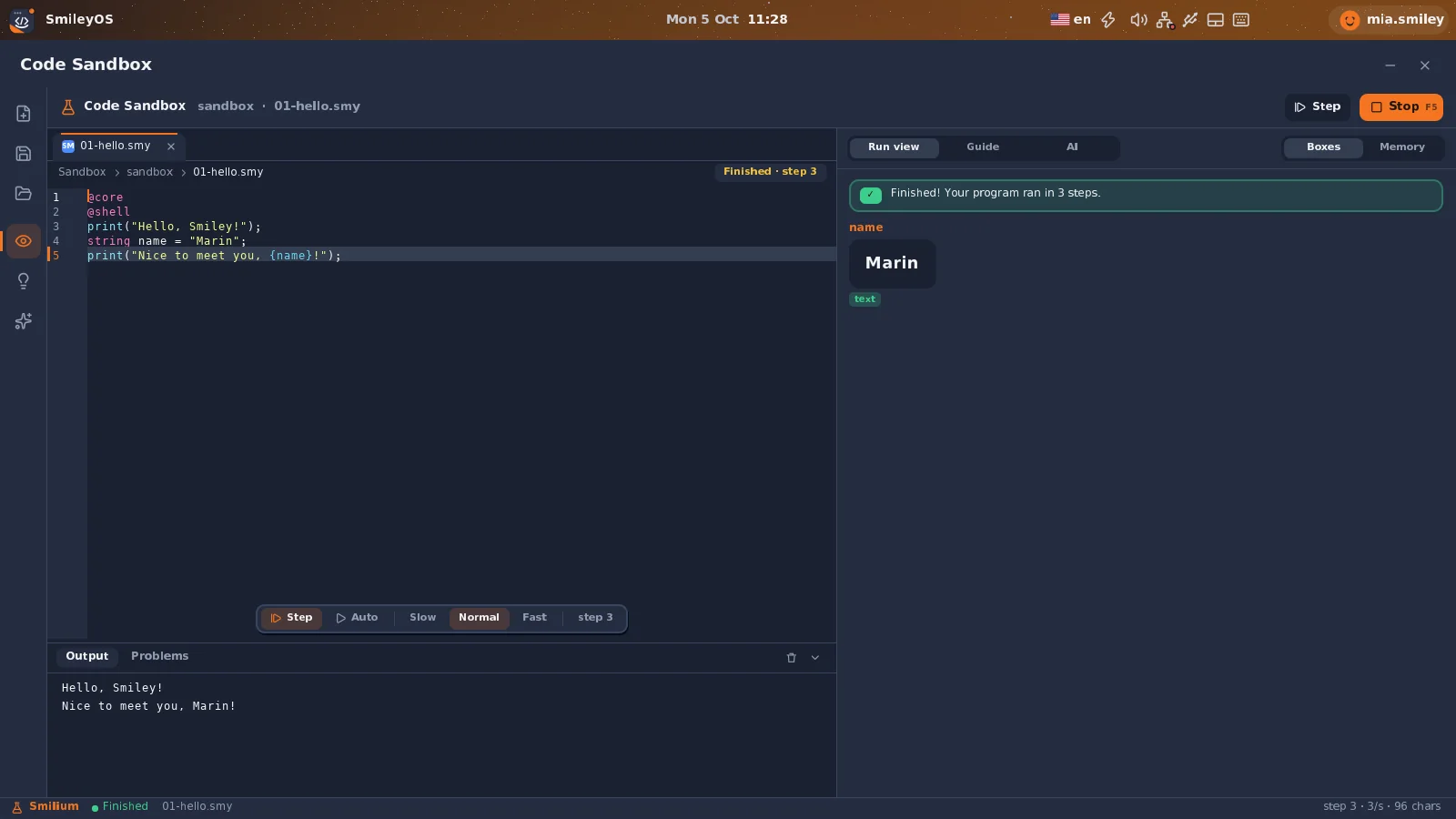
There is no perfect first programming language. There is a language that fits the child in front of you: their age, their patience, the computer they have and what they want to make.
Parents and teachers usually hear three names. Each one is a good answer to a different question.
The usual three
- Scratch (blocks, roughly 7 to 11): no typing, quick results, great for the idea that a program is a list of steps. Its limit shows when the child wants to write real text code.
- Python (text, roughly 11 and up): readable, used everywhere from school to science. It needs setup on each computer, and its error messages are written for adults, in English.
- JavaScript (text, teens): runs in every browser and leads to websites. It also has the most surprising rules of the three, which is hard on a beginner.
What matters more than the name is the first month: does the child see a result in seconds, understand what went wrong, and want to come back tomorrow?
What a first language really needs
- Nothing to install. A lesson that starts with 20 minutes of setup is a lost lesson.
- Words a child can read.
if(score over 59)is easier to say out loud thanif score > 59:. - Mistakes explained in the child’s own language, with a hint of what was meant.
- A way to watch the program run, step by step, with every value visible.
- A road ahead: from text in a terminal to apps with buttons, and then to games.
Smilium: the language built into SmileyOS
That list is why we made Smilium, the programming language of SmileyOS. It is already inside the system, so there is nothing to download, and it works offline on the old computers schools already have. A first program looks like this:
@core
@shell
string name = ask("What is your name? ");
print("Hi {name}!", Colors.green);

number score = 72;
if(score over 59){
  print("You passed!", Colors.green);
}
else{
  print("Try again!", Colors.red);
}

number n = 5;
while(n over 0){
  print("{n}...");
  n = n - 1;
}
print("Liftoff!", Colors.yellow);
Want to try it right now? Open the online Smilium editor in your browser, paste the program and press Run. No install, no account.
Real types (number, string), real if, while, functions, lists and structs: the same ideas a child will meet later in Python or JavaScript, with words that read like sentences. When something goes wrong, Smilium explains it in English, Macedonian or Albanian, and when it is a typo it says which word was probably meant, with a Fix it button.
The road: from the Terminal to games
Smilium grows with the child in four steps, all in the same system:
- Terminal first: folders, files and commands (see our 12 Terminal commands), then
smilium hello.smy. - Code Sandbox: 31 ready examples, from Hello to a guessing game, a weather app and a class quiz, each one runnable step by step.
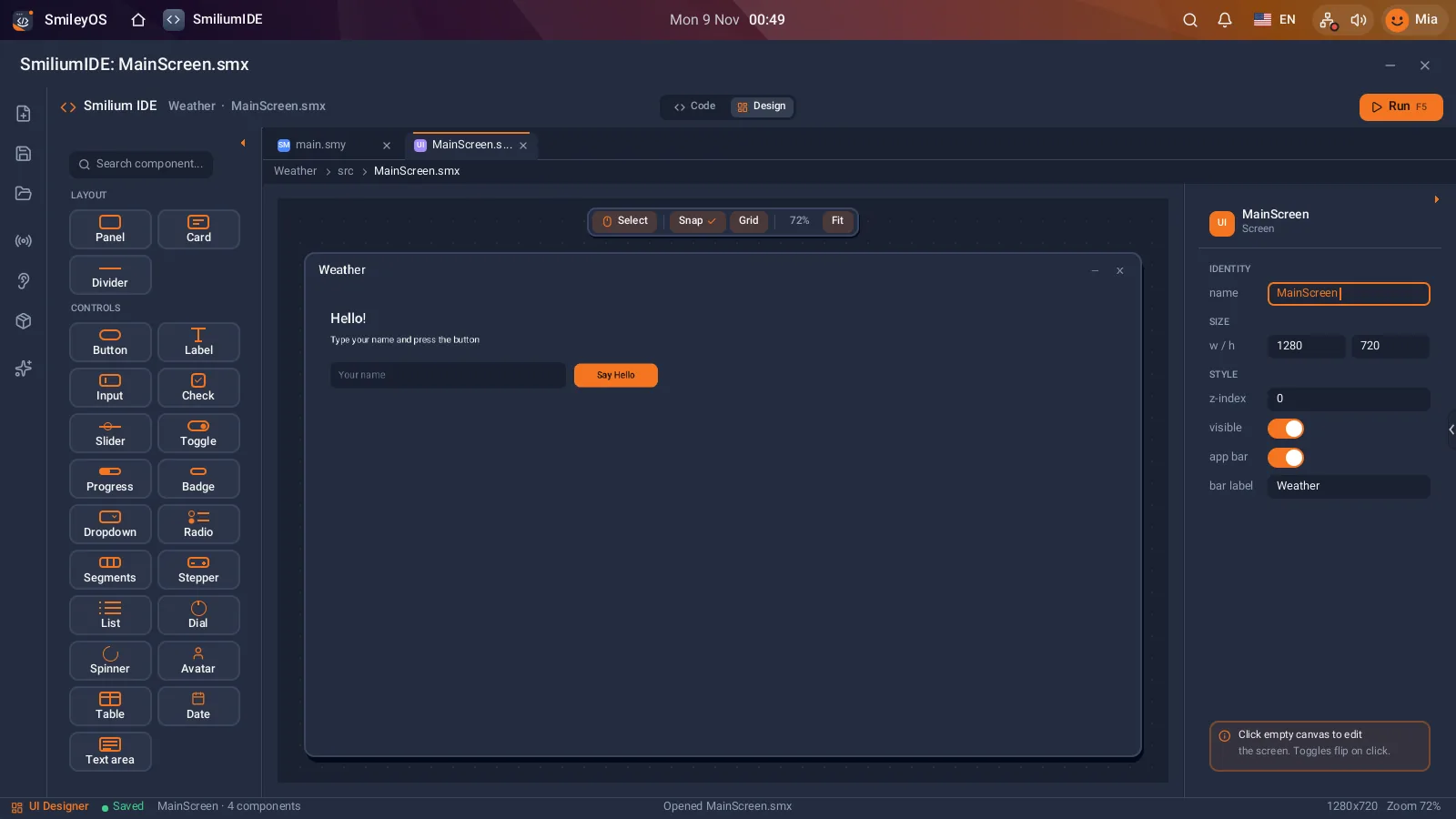
- Smilium IDE: real apps with buttons, text fields and lists, drawn in a visual designer and filled with Smilium code.
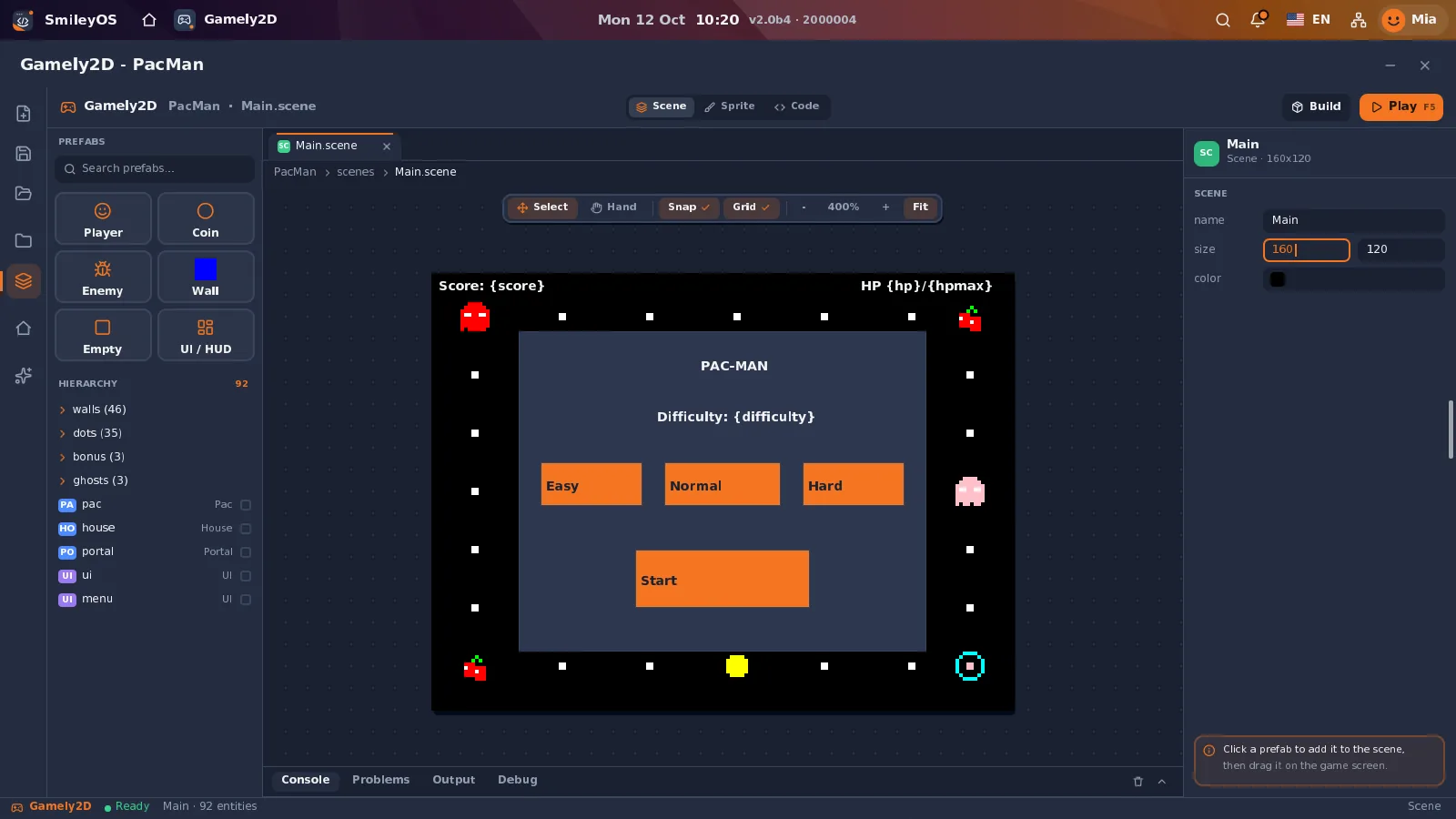
- Gamely2D: the game engine, with sprites, scenes and scripts in Smilium.
So which one should you choose?
For a 7-year-old who has never typed: blocks are fine, and Kidly-style logic games are even better. For a child of 8 to 12 who can read and type a little: start with a text language that is made for them, explains its mistakes and runs on the computer you have. Smilium is our answer to that. For a teenager with a clear goal (websites, data, robots): go straight to the language of that world.
The skills carry over. A child who knows what a variable, a loop and a function are learns the second language in weeks, not months. The first language is a door, not a life sentence.
Try SmileyOS first
We are getting the first SmileyOS sticks ready for families, schools and learning centres. Sign up for early access and we will let you know as soon as you can try it on your own computer.
Did you like this post?
Share this post
Know a parent, teacher or school that should read this? Send it on.